AI Surface Restyling for Walls, Floors & Cabinets
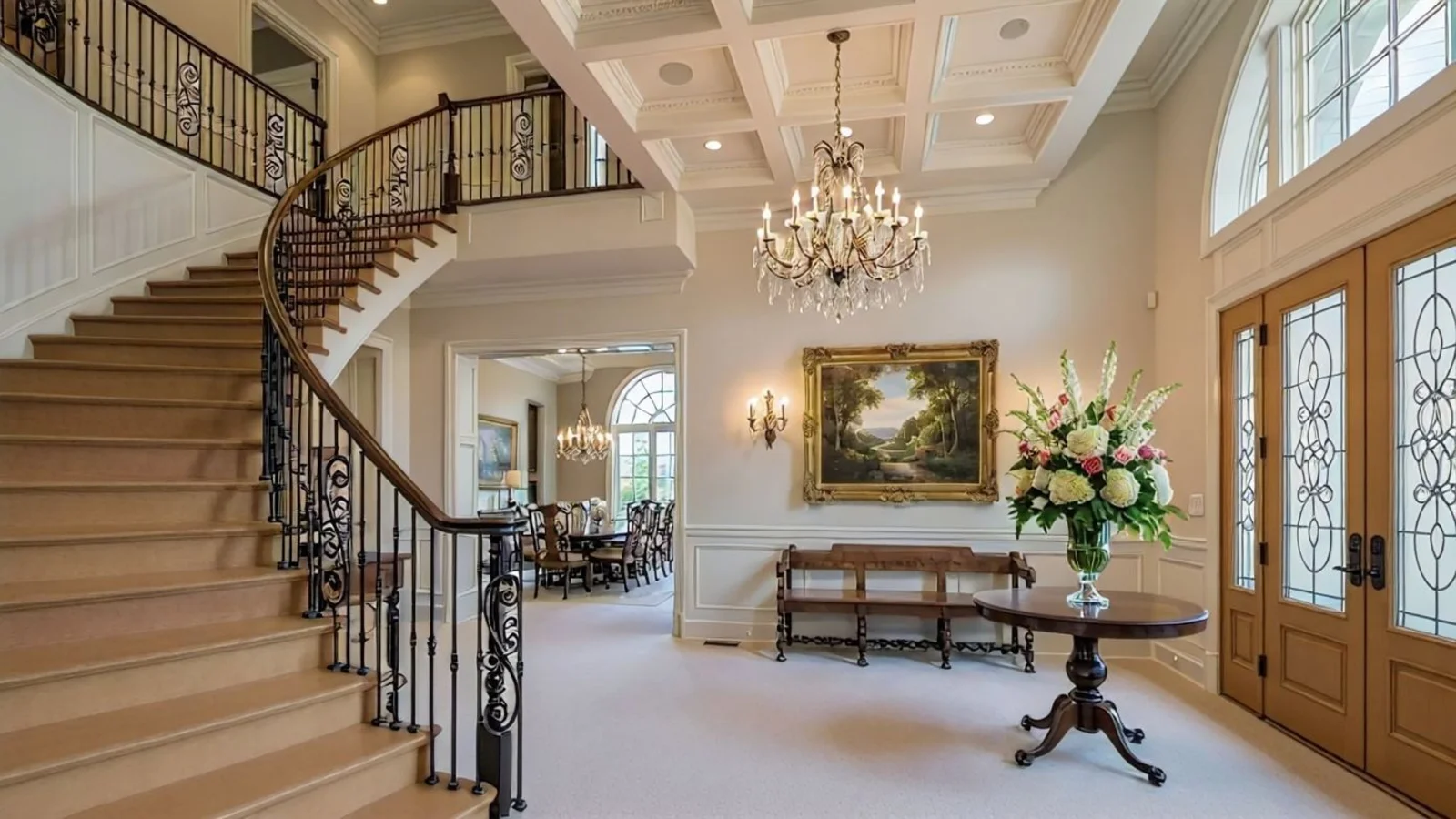
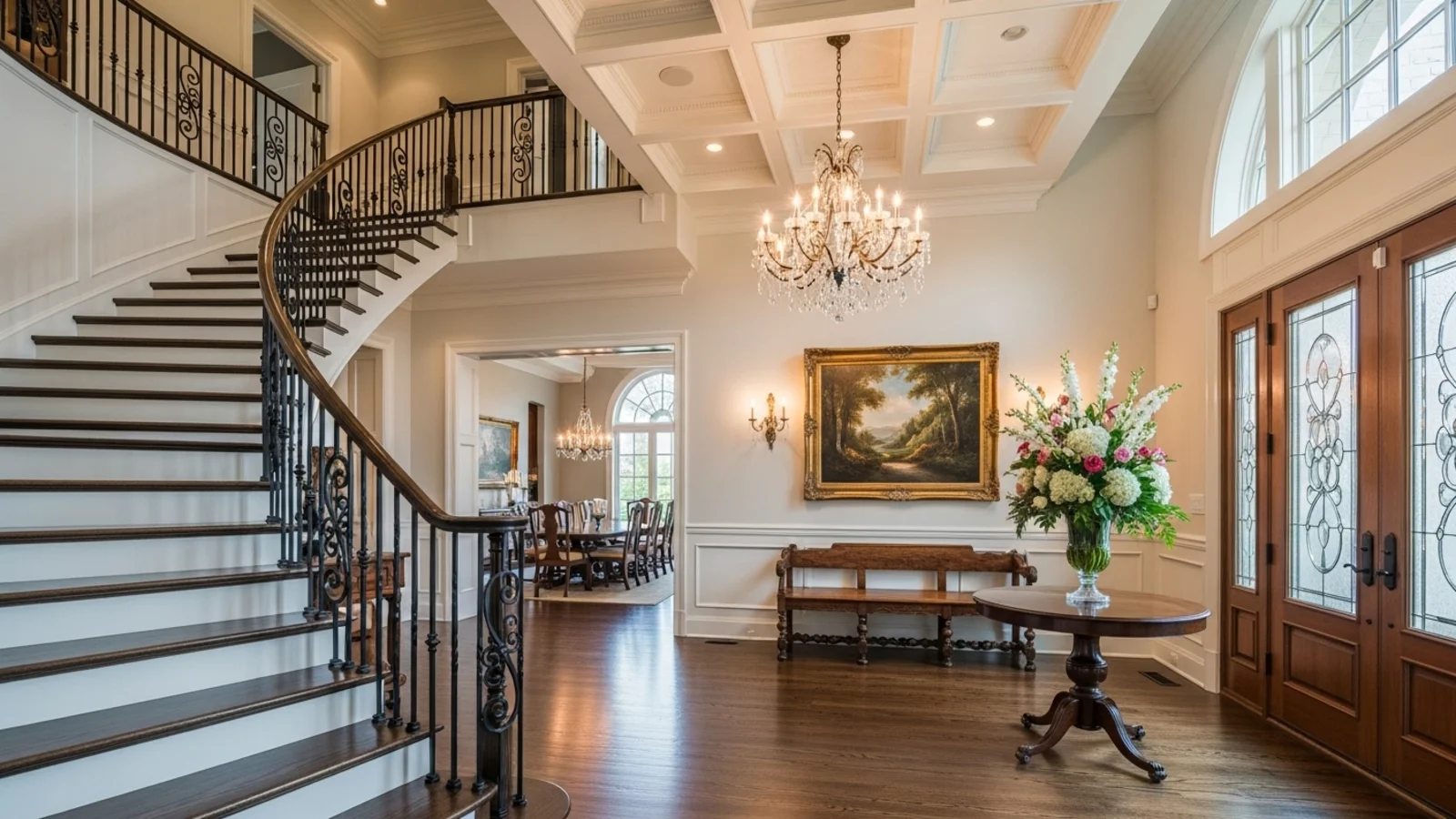
Why Surface Restyling Matters?
Design fatigue rarely means the room is bad - it just feels outdated or mismatched. Sometimes a new wall tone or flooring texture can completely shift how a space feels.
How It Works
From upload to download - naturally intuitive, powerfully smart.
Upload Your Room Photo/s
- Works for furnished or empty spaces - kitchen, bath, bedroom, or living area
- Any room type accepted
AI Identifies Key Surfaces
- Maps floors, walls, tiles, counters, and cabinets
- Preserves edges, lighting, and reflections
Prompt the Change You Want
- "Make the flooring light oak"
- "Change cabinets to matte white"
- "Try warm beige on the walls"
Refine with Follow-Up Prompts
- "Add subtle marble texture"
- "Make tiles glossier"
- "Keep countertop the same"
- "Try darker floor contrast"
See the Updated Space Instantly
- The AI updates materials while maintaining natural lighting
- Surface realism preserved throughout
Download When It Feels Right
- Save for renovation planning or listing upgrades
- Perfect for design client presentations
Prompt Guide
Get the best results with clear, specific prompts.
Do This
Recommended
Clearly specify the exact surface and the material or texture you want applied.
Use precise material names such as matte white, oak wood, marble, granite, etc.
Avoid This
Common mistakes
Do not ask to match the surface to any other surface in the image.
Do not request a style change - only ask for texture or material changes.
Avoid vague words like "better" or "nicer."
Specificity leads to better results
"Change the cabinet finish to matte white."
"Recolor the floor to medium oak wood."
"Change the countertop to a white marble texture."
See the Transformations
Real results from our Restyle Surfaces solution.
Benefits Tailored to Every User
Gives each user the clarity they need to understand the space and make confident decisions.
Homeowners
Key advantages for your workflow
Try new colors or materials risk-free
Avoid paint or tile regret before buying
Match finishes to lighting and furniture context
How the AI Understands Your Space
A clear, grounded explanation of how the system creates realistic results.
Our AI design companion analyzes
Surface boundaries and material reflectivity
Light fall-off and natural shadow depth
Texture patterns and surface gloss
It reinterprets your chosen color or material realistically within the same lighting and perspective. You choose the surface - AI applies it like a digital craftsman.
See your walls, floors, and cabinets transformed before the renovation.
Frequently Asked Questions
It's an AI tool that recolors or retextures surfaces - like walls, floors, tiles, or cabinets - while keeping your photo realistic.
Yes, you can restyle multiple areas in one go or refine each individually.
Yes, reflections, shadows, and depth are automatically adjusted for realism.
Yes, it supports surfaces like tiles, cabinets, and countertops with full lighting consistency.
No, it maintains the existing architecture and light direction, only changing color and texture.
Yes, prompt for finishes like matte, marble, wood grain, or polished concrete.
Absolutely - regenerate variations until it fits your desired mood.
Yes, they're perfect for renovation planning, design proposals, or real estate enhancement.
Related Tools
Explore more AI-powered design solutions
Ready to visualize your perfect layout?
Upload your room photo and transform walls, floors, and cabinets instantly. See the new look before you renovate.
Reimagine My Home