AI Landscaping for Yards & Gardens
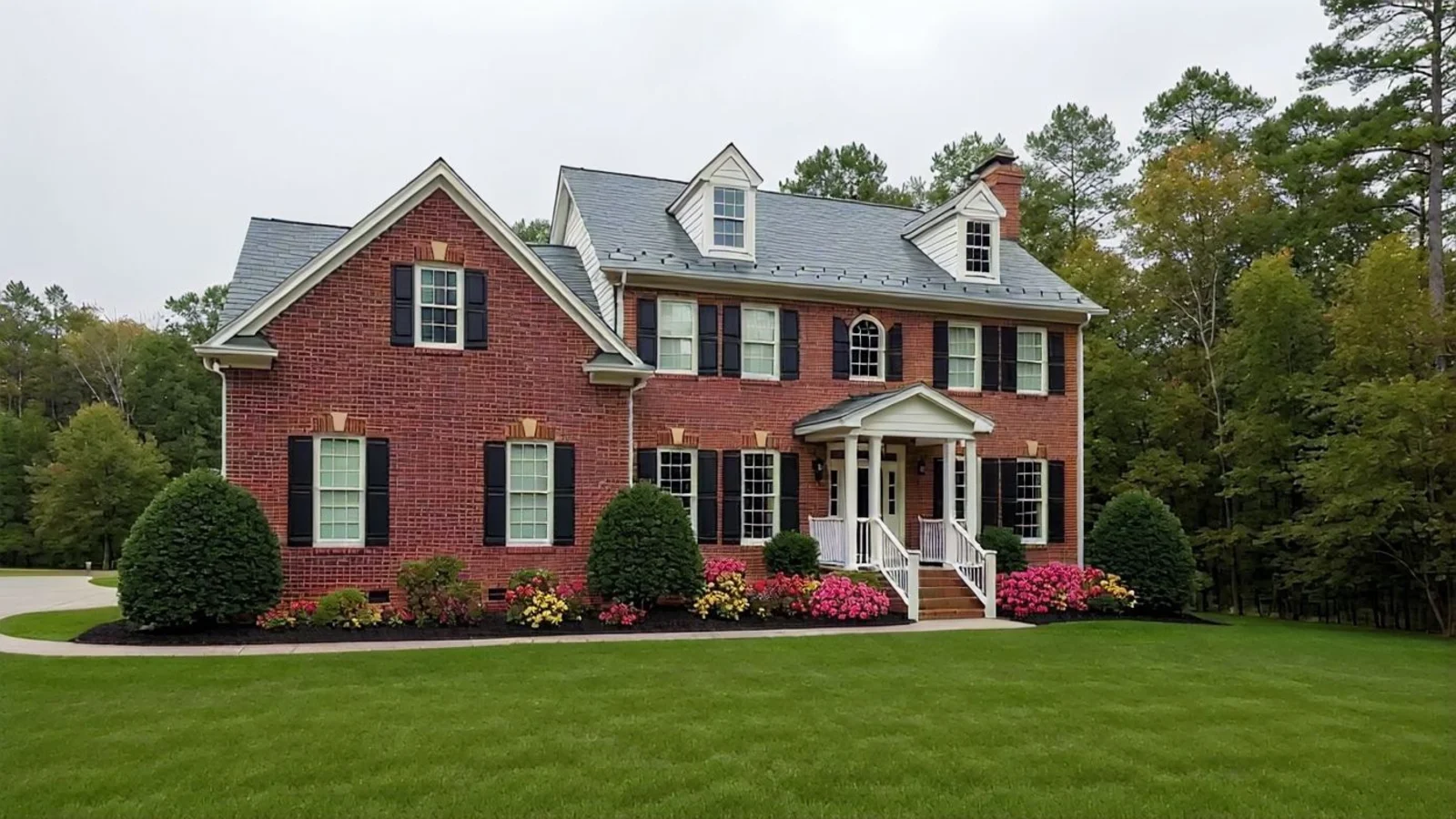
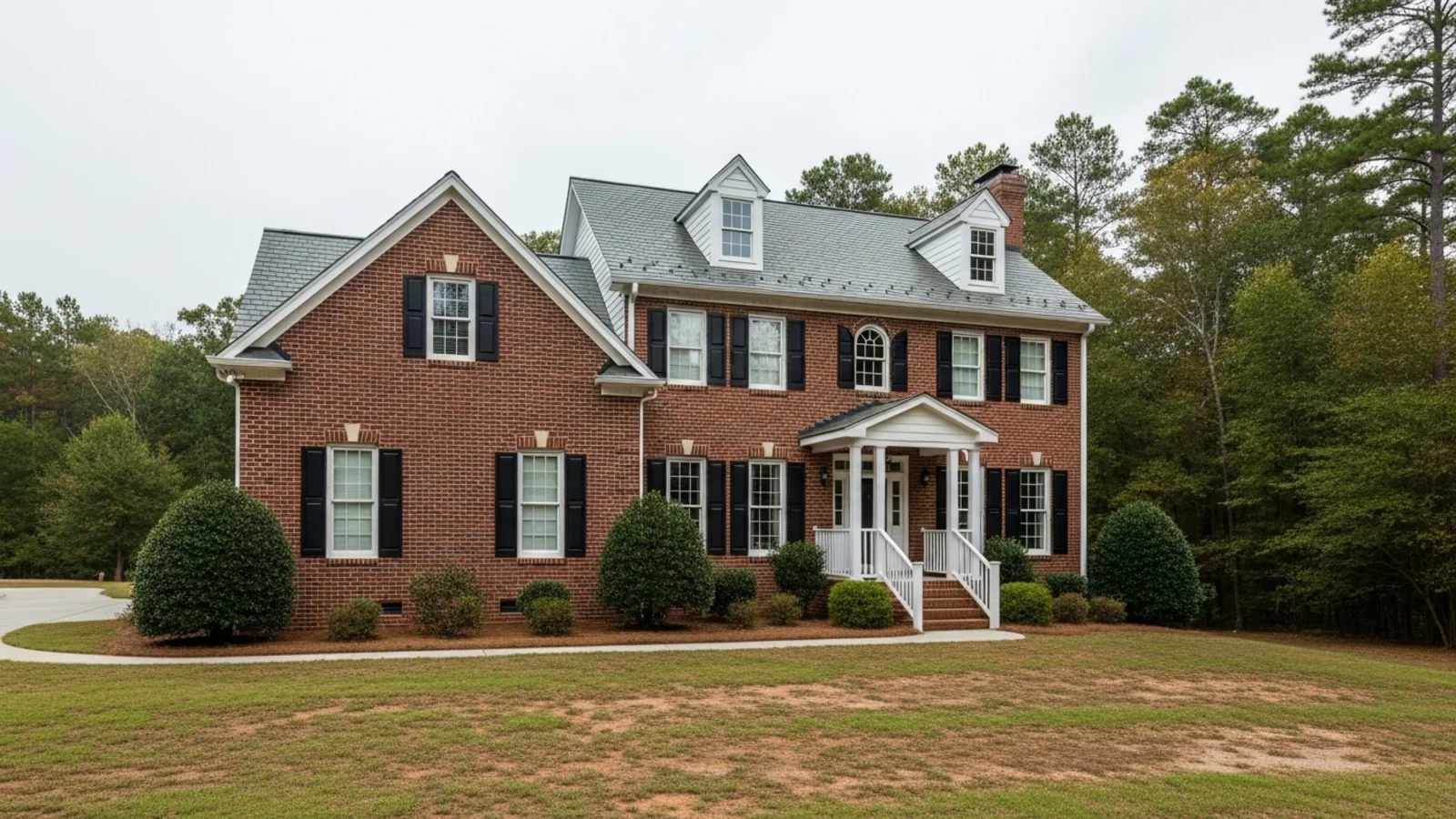
Why Landscaping Matters
An outdoor space can look fine yet still feel unfinished. The greenery lacks rhythm, the shade feels uneven, or the flow doesn't make sense.
How It Works
From upload to download - naturally intuitive, powerfully smart.
Upload Your Outdoor Photos
- Works for yards, gardens, patios, rooftops, or balconies.
AI Reads the Space
- The system understands sunlight, shadows, surface layout, and existing plants or open areas.
Prompt Your Vision
- Just type what you want: "Make it a cozy backyard," "Add lawn and planters," or "Create a tropical vibe."
Refine with Simple Follow-Up Prompts
- "Add more color."
- "Use native, low-maintenance plants."
- "Add a small lawn."
- "Make it feel modern and open."
See a Refreshed Version of Your Space
- The layout becomes balanced, green, and easy to visualize.
Download When It Feels Right
- Save high-resolution results for planning, quoting, or listing photos.
Prompt Guide
Get the best results with clear, specific prompts
Do This
Recommended
Use the word "landscaping" clearly in your request.
Mention the specific landscaping style you want, such as Tropical, Desert Style, Japanese, Minimal, etc.
Specify the layout or placement of plants, pathways, hedges, or other elements.
Avoid This
Common mistakes
Avoid vague words like "beautiful," "lush," or "natural."
Do not overcrowd the yard with too many elements.
Specificity leads to better results
"Do landscaping in desert style and create a pathway"
"Do landscaping and add flower beds on the left side with neatly arranged plants."
"Add low hedges around the perimeter."
See the Transformations
Real results from our Landscaping solution
Benefits Tailored to Every User
Gives each user the clarity they need to understand the space and make confident decisions.
Homeowners
Key advantages for your workflow
Explore realistic landscaping ideas before spending
See how small changes affect mood and usability
Create balance, calm, and harmony outdoors
How the AI Understands Your Space
A clear, grounded explanation of how the system creates realistic results.
Our AI design companion analyzes
Sunlight direction and shadow fall
Proportion between open space and greenery
Plant texture, density, and layout balance
How light and composition affect the mood
It doesn't build fantasy gardens, it reimagines your real space, naturally. You stay in control; AI simply reveals possibilities faster.
You stay in control; AI simply reveals possibilities faster.
Frequently Asked Questions
It's a digital tool that uses AI to visualize new planting, lawn, and outdoor design ideas from photos of your real space.
Yes, those spaces benefit the most from intentional composition.
Yes, upload several angles or zones, and the AI will process them together.
Yes, you can continue refining or restaging with follow-up prompts anytime.
Yes, it helps you finalize style, layout, and greenery balance before hiring contractors.
Yes, you can specify native, tropical, or low-maintenance greenery, and regenerate for variations.
Almost never, the built form remains intact. Rare shifts can be corrected by regenerating.
No, it enhances collaboration by giving everyone a visual starting point.
Ready to visualize your perfect layout?
Test-drive layouts visually with ReimagineHome. Drop in your room photo, compare two orientations, and choose the one that fits your life.
Reimagine My Home