AI Object Removal for Photos & Rooms
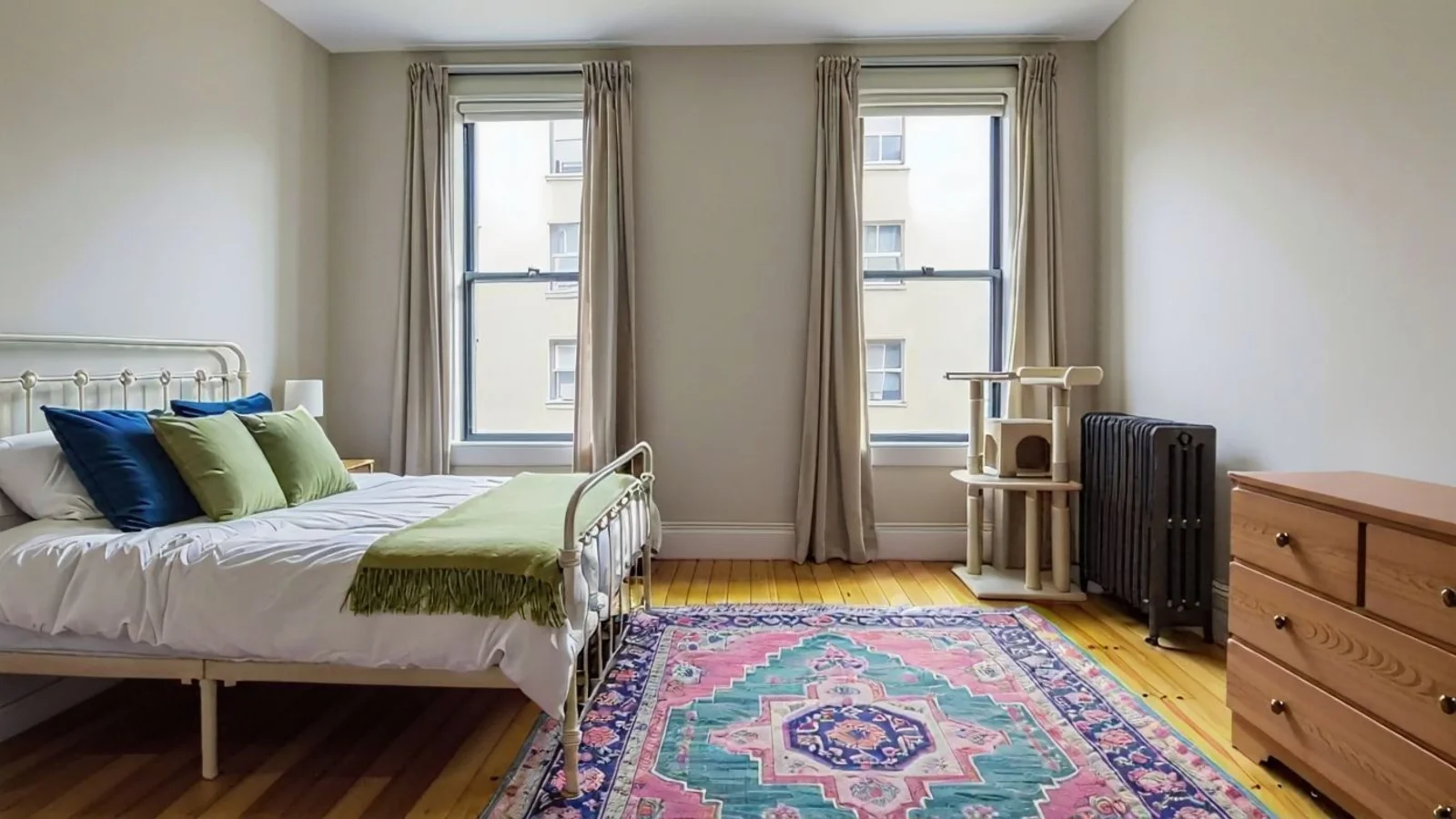
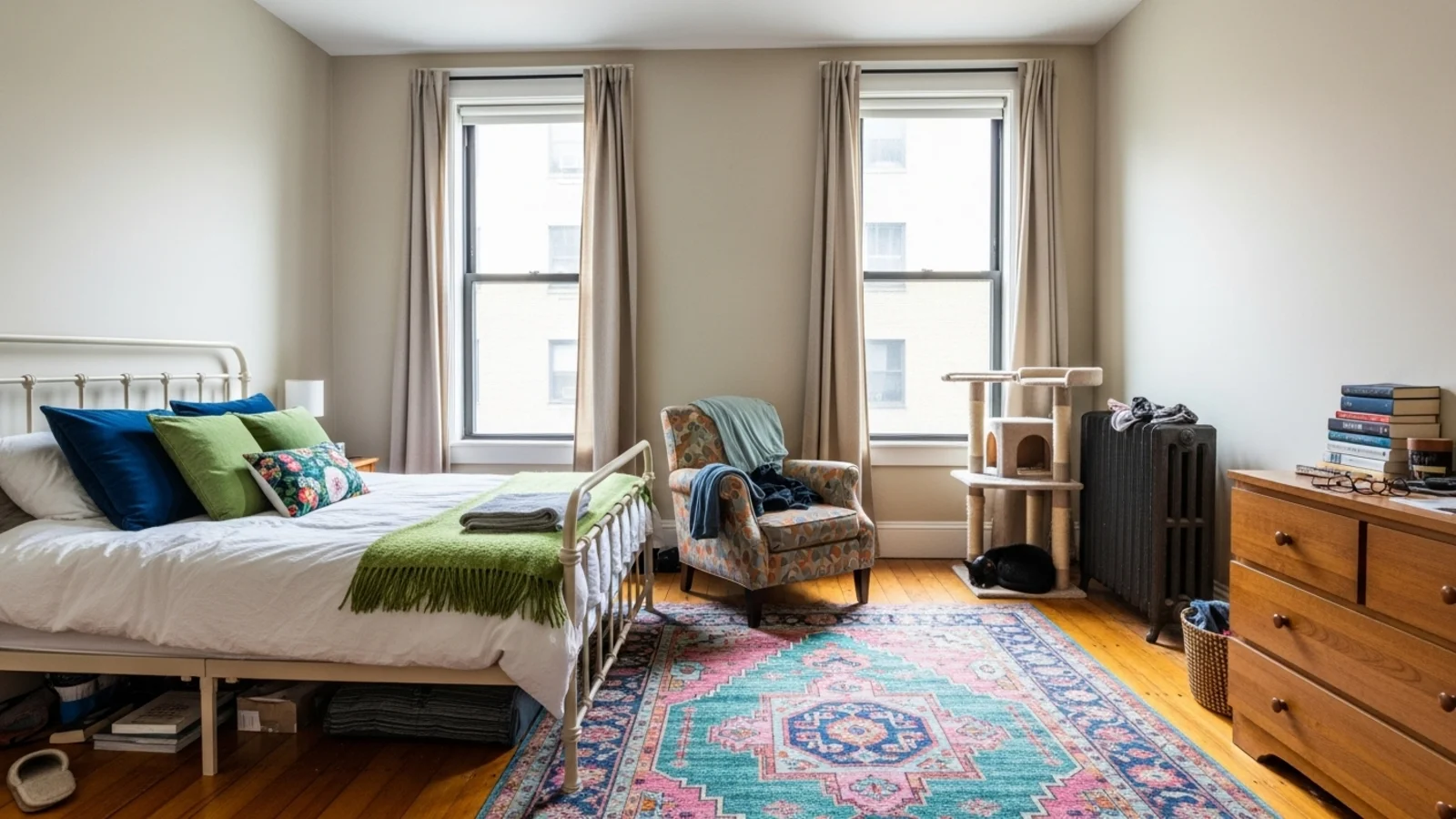
Why Object Removal Matters?
Most photos don't lose impact because of bad lighting - they lose it because of small distractions that draw attention away.
How It Works
From upload to download - naturally intuitive, powerfully smart.
Upload Your Photo/s
- Works for interiors, exteriors, or design photos with unwanted items.
AI Detects Objects Automatically
- Identifies furniture, cords, decor items, stains, reflections, or unwanted props.
Prompt What You Want Gone
- Just type: "Remove the chair," "Erase wall marks," or "Remove the car from driveway."
Refine with Simple Follow-Up Prompts
- "Also remove the hanging wires." "Keep the vase, remove everything else." "Make it look natural and smooth."
Review the Clean Version
- The image looks polished, realistic, and free of visual clutter.
Download When It Feels Right
- Save high-resolution images for design presentations, portfolios, or listings.
Prompt Guide
Get the best results with clear, specific prompts
Do This
Recommended
Clearly list each object or specific item you want to remove.
Specify small objects precisely (e.g., frames, wires, boxes).
If general clutter needs to be removed, include the phrase "remove clutter."
Avoid This
Common mistakes
Avoid vague instructions such as "remove things that are not looking good."
Specificity leads to better results
"Remove the wall frames, floor boxes, and the side lamp."
"Remove the TV, cables, and the rug."
"Delete the fridge magnets and all countertop items."
See the Transformations
Real results from our Object Removal solution
Benefits Tailored to Every User
Gives each user the clarity they need to understand the space and make confident decisions.
Homeowners
Key advantages for your workflow
Clean up photos instantly, no complex editing
Visualize your home without unwanted distractions
Prepare rooms digitally before staging or renovation
How the AI Understands Your Space
A clear, grounded explanation of how the system creates realistic results.
Our AI design companion analyzes
Object boundaries, lighting, and reflections
Wall, floor, and texture continuity
Perspective and depth realism
It removes selected objects seamlessly while keeping surfaces natural and undisturbed. No overediting, no guesswork - just a clean, believable image.
Your space, without the distractions.
Frequently Asked Questions
It's an AI tool that removes unwanted objects from photos while preserving lighting, textures, and depth for realistic results.
Yes! Remove cars, trash cans, signs, or other distractions from outdoor photos.
No, the AI preserves wall textures, floors, and background elements while removing only specified objects.
Object Removal targets specific items. Decluttering (Empty Your Space) removes all furniture for a vacant look.
Yes! Specify exactly what to remove in your prompt.
Yes, the AI can handle various types of visual distractions including stains, wires, and unwanted shadows.
Yes, you can process several photos for consistent results.
Yes, with appropriate disclosure. Check your local MLS guidelines.
Ready to visualize your perfect layout?
Test-drive layouts visually with ReimagineHome. Drop in your room photo, compare two orientations, and choose the one that fits your life.
Reimagine My Home