AI Day to Dusk Photo Conversion
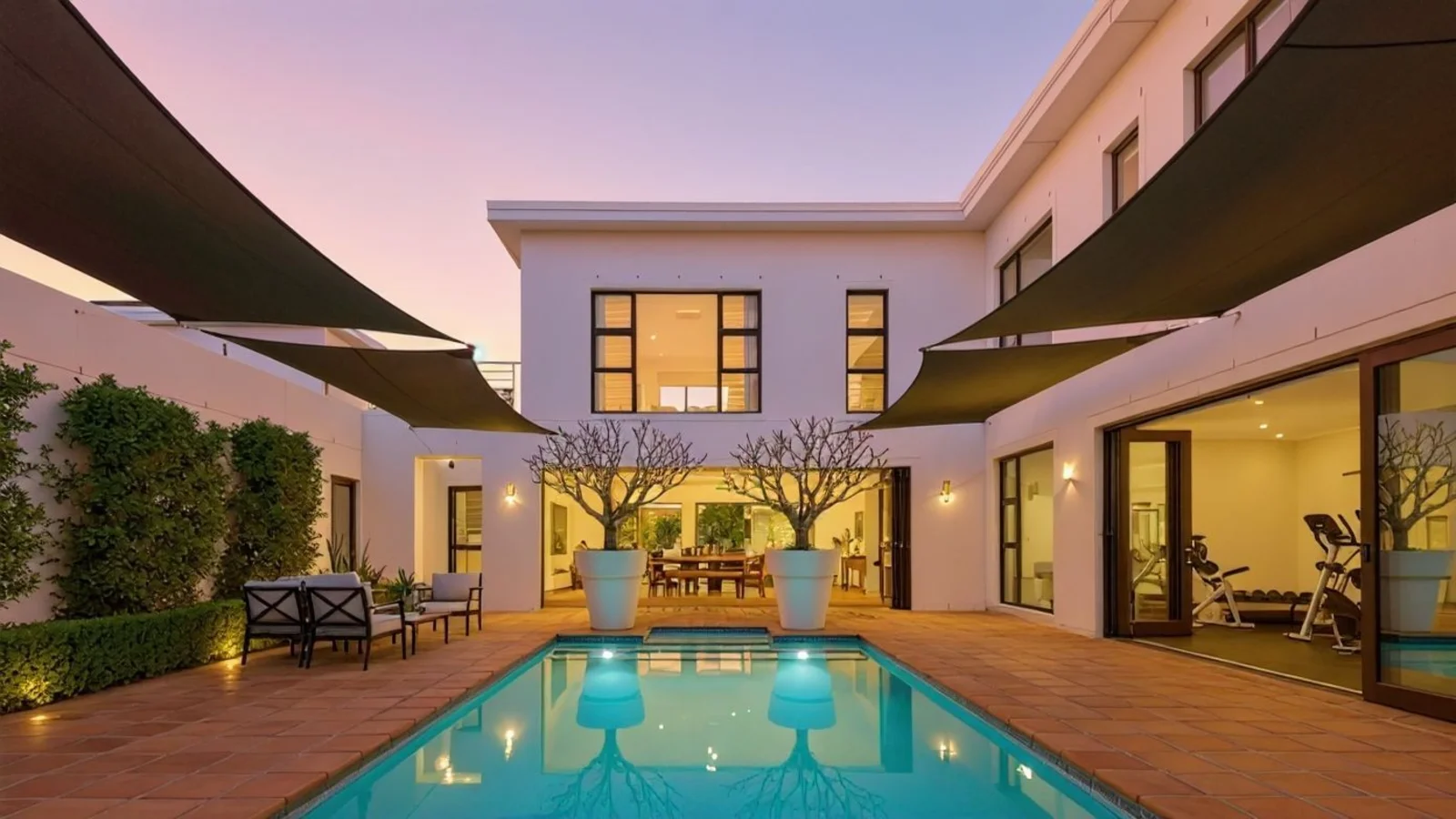
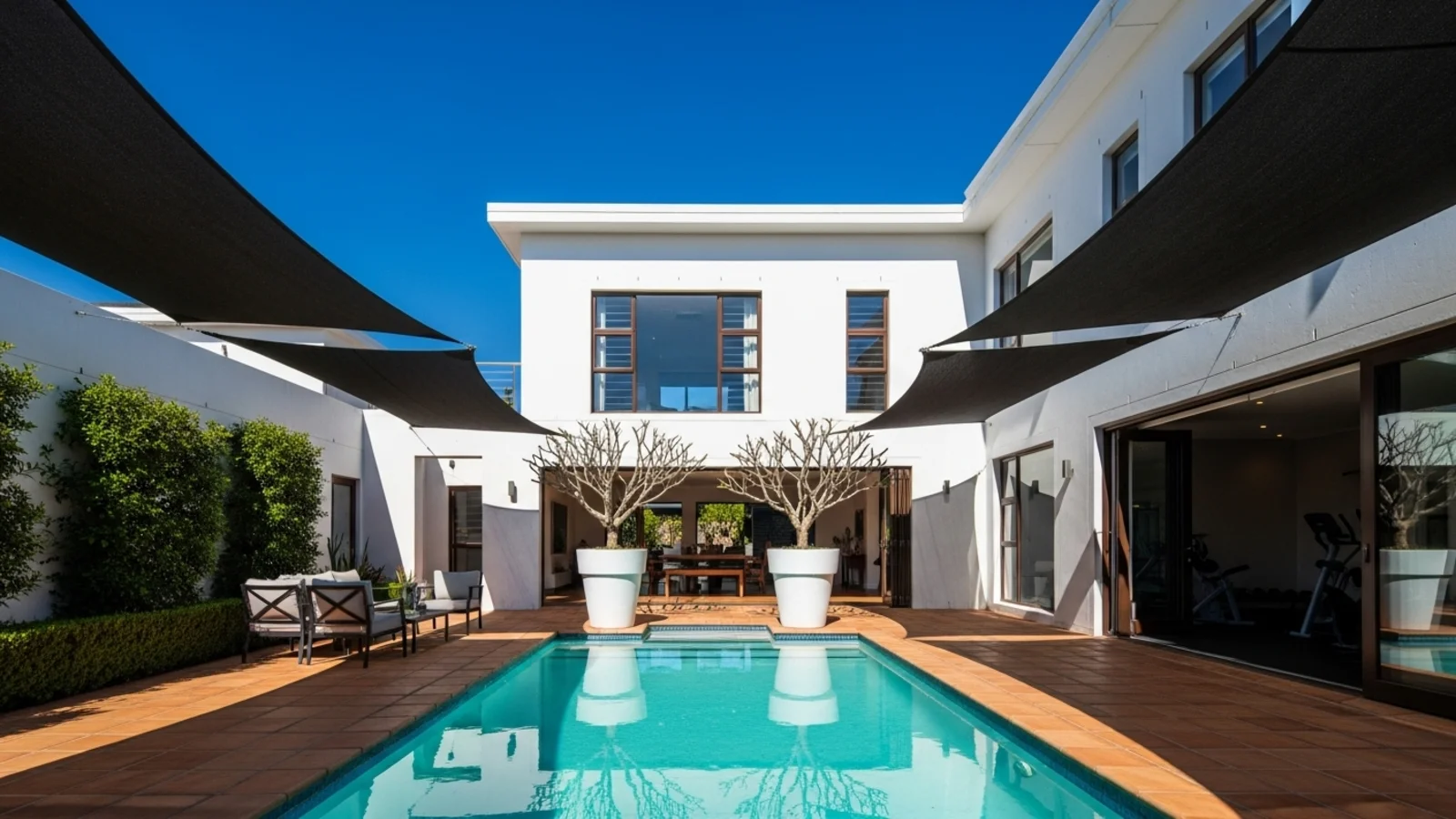
Why Day to Dusk Matters?
A property's exterior sets the emotional tone - but harsh daylight rarely tells the full story. Even great photos can look flat, cold, or overexposed.
How It Works
From upload to download - naturally intuitive, powerfully smart.
Upload Your Exterior Photos
- Works for homes, buildings, and architectural exteriors under any lighting condition
AI Reads the Scene
- It understands the lighting direction, reflection patterns, windows, and shadows
Prompt the Desired Look
- Type: "Transform to dusk view", "Soft evening with lights on", or "Warm twilight glow."
Refine with Simple Follow-Up Prompts
- "Make the sky slightly darker." "Add subtle window light." "Keep exterior shadows natural." "Try a cooler blue dusk tone."
See the Transformed Version
- The AI adjusts ambient tone, sky color, and lighting warmth while keeping structure natural
Download When It Feels Right
- Save high-resolution dusk conversions for listings, marketing, or design previews
Prompt Guide
Get the best results with clear, specific prompts.
Do This
Recommended
Clearly use the phrase "convert to dusk" (or the desired sky condition).
Add details like window lighting, pool lights, or soft ambient lighting if needed
Avoid This
Common mistakes
Avoid mentioning dramatic, cinematic, or over-enhanced effects.
Specificity leads to better results
"Convert to dusk and add warm window lighting."
"Make the exterior image dusk and turn on the pool lights."
See the Transformations
Real results from our Day to Dusk solution.
Benefits Tailored to Every User
Gives each user the clarity they need to understand the space and make confident decisions.
Homeowners
Key advantages for your workflow
Visualize how your property looks in its most inviting light
Create stunning, shareable images instantly
Highlight ambiance without artificial over-editing
How the AI Understands Your Space
A clear, grounded explanation of how the system creates realistic results.
Our AI design companion analyzes
Sky, reflection, and shadow relationships
Light direction and intensity
Color temperature and surface texture
It converts daylight to natural dusk while preserving detail and realism, not filters or overlays. You stay in control, AI just recreates the right time of day.
Your property at its most inviting - without the sunset wait.
Frequently Asked Questions
It's an AI-powered technique that converts daytime exterior photos into realistic twilight/dusk scenes with warm window lighting and soft evening skies.
Yes, the AI can handle various lighting conditions and transform them into natural-looking dusk scenes.
No, the structure and landscaping remain intact. Only the sky, lighting, and ambient tone are adjusted.
Yes, with appropriate disclosure that the image is "digitally enhanced." Check your local MLS guidelines.
Yes, the AI maintains proper lighting direction, shadows, and color temperature for natural-looking results.
Yes! Use follow-up prompts to adjust the intensity, warmth, or sky tone.
Yes, you can process several photos at once for consistent results across a listing.
Yes, you can use multiple solutions together for comprehensive exterior enhancement.
Related Tools
Explore more AI-powered design solutions
Ready to visualize your perfect layout?
Test-drive layouts visually with ReimagineHome...
Reimagine My Home