AI Wall Repaint & Color Preview
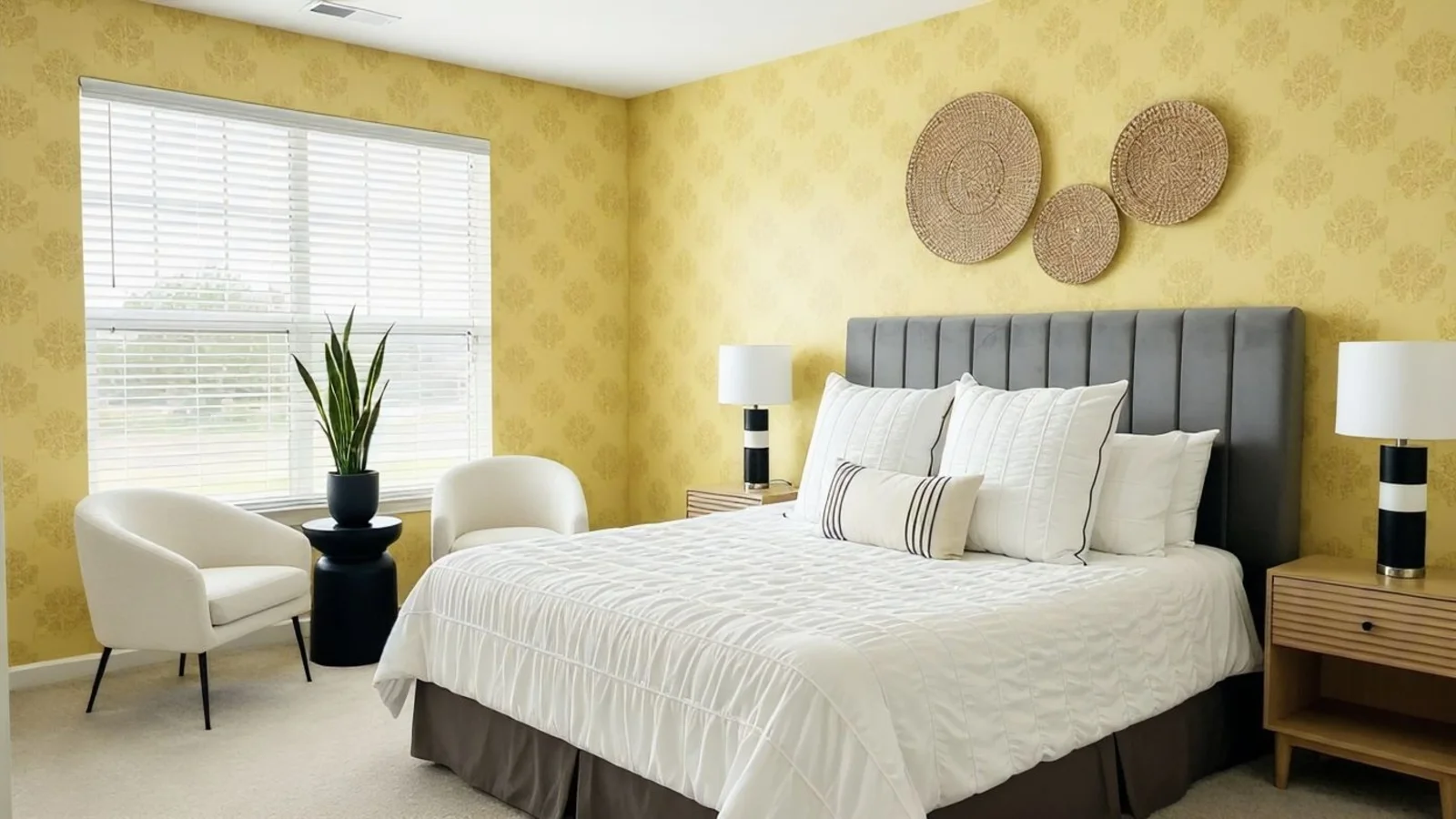
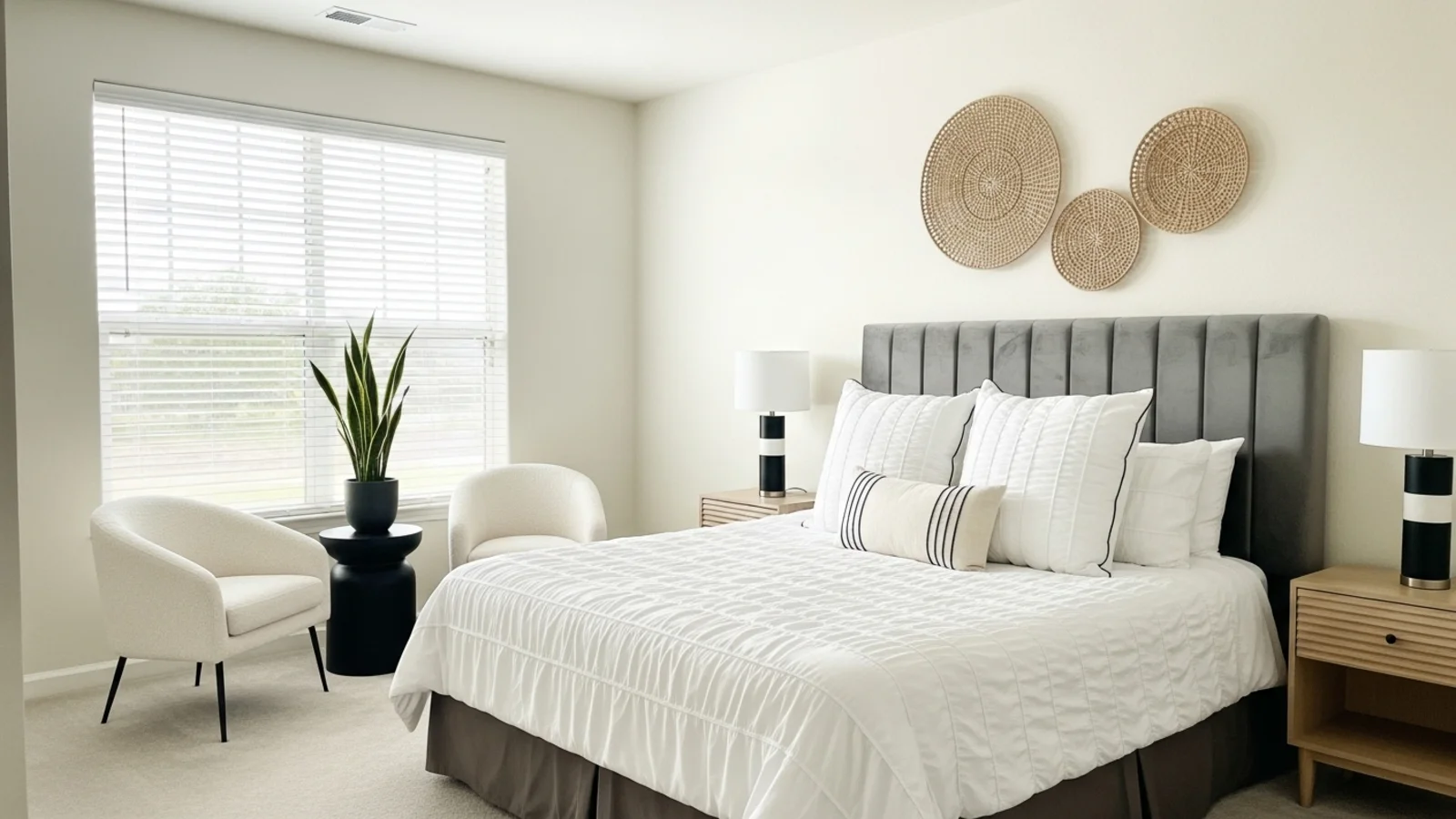
Why Wall Repaint Previews Matter?
Paint is the easiest way to change a room, but the hardest to visualize. Colors look different in real light, on real surfaces, and in real spaces.
How It Works
From upload to download - naturally intuitive, powerfully smart.
Upload Your Room Photo/s
- Works for bedrooms, living rooms, kitchens, bathrooms, hallways, home offices, and open layouts
- Any room with visible walls
AI Reads Your Walls
- Identifies wall surfaces & boundaries
- Detects lighting direction & shadow depth
- Understands texture (smooth, matte, stucco, brick)
- Reads existing color temperature
Describe the Color or Style You Want
- "Paint the walls warm beige"
- "Try navy blue on the accent wall"
- "Give this room a softer white"
- "Try a sage green with a calm mood"
Refine with Follow-Up Prompts
- "Slightly lighter"
- "Make the accent wall only behind the bed"
- "Try a cooler white"
- "Keep trim white, walls mid-grey"
See the New Painted Look
- Colors adapt realistically to your room's lighting and shadows
- No fake overlays or flat patches
Download When It Feels Right
- Use for renovation decisions, shopping lists, moodboards
- Perfect for contractor discussions or design planning
Prompt Guide
Get the best results with clear, specific prompts.
Do This
Recommended
Specify which wall needs to be changed (e.g., left wall, accent wall, wall behind the sofa).
Clearly mention the paint color, wallpaper, or texture you want.
If only one wall needs to be updated, make sure to state that explicitly.
Avoid This
Common mistakes
Avoid vague words like "better" or "nicer."
Specificity leads to better results
"Change the wall paint to orange."
"Add a wallpaper on the wall behind the sofa with a green and white floral pattern."
"Paint only the accent wall navy blue."
See the Transformations
Real results from our Wall Repaint solution.
Benefits Tailored to Every User
Gives each user the clarity they need to understand the space and make confident decisions.
Homeowners
Key advantages for your workflow
Pick the right color the first time
Avoid costly repainting or mismatches
Explore accent walls, tones, and mood shifts easily
How the AI Understands Your Space
A clear, grounded explanation of how the system creates realistic results.
Our AI design companion analyzes
Wall boundaries & architectural lines
Light temperature and shadow movement
Surface texture & reflectivity
Color harmony & tonal balance
It applies color in a way that respects lighting, texture, and depth - so the result feels true to life, not digitally flat. Your room stays unchanged, only the wall color evolves.
See your perfect paint color on your actual walls - before you buy.
Frequently Asked Questions
Yes, explore as many colors and tones as you want.
Yes, the AI adapts color to your room's lighting, shadows, and textures.
No, walls, layout, and objects stay the same. Rare shifts can be fixed by regenerating.
You can request tones like "Similar to Benjamin Moore White Dove" or "Behr Sage Green."
Absolutely - you can specify which wall to highlight.
Yes, matte, satin, limewash, muted textures, or subtle plaster looks.
Yes, it's perfect for deciding color palettes before buying anything.
Yes, you can preview consistent palettes across different spaces.
Related Tools
Explore more AI-powered design solutions
Ready to visualize your perfect layout?
Upload your room photo and try any paint color instantly. Find the perfect shade before you buy.
Reimagine My Home