AI-Powered Interior Renovation
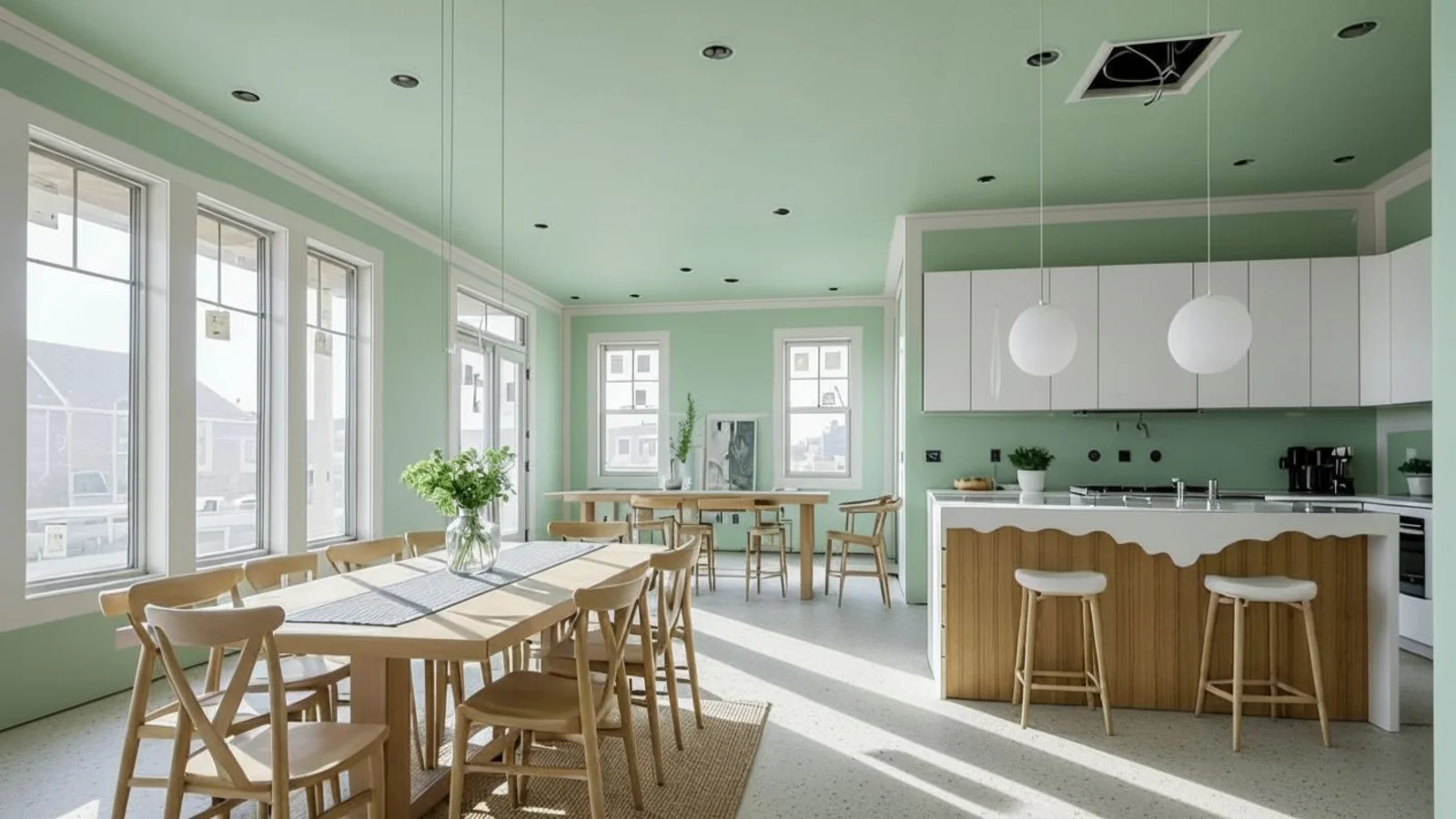
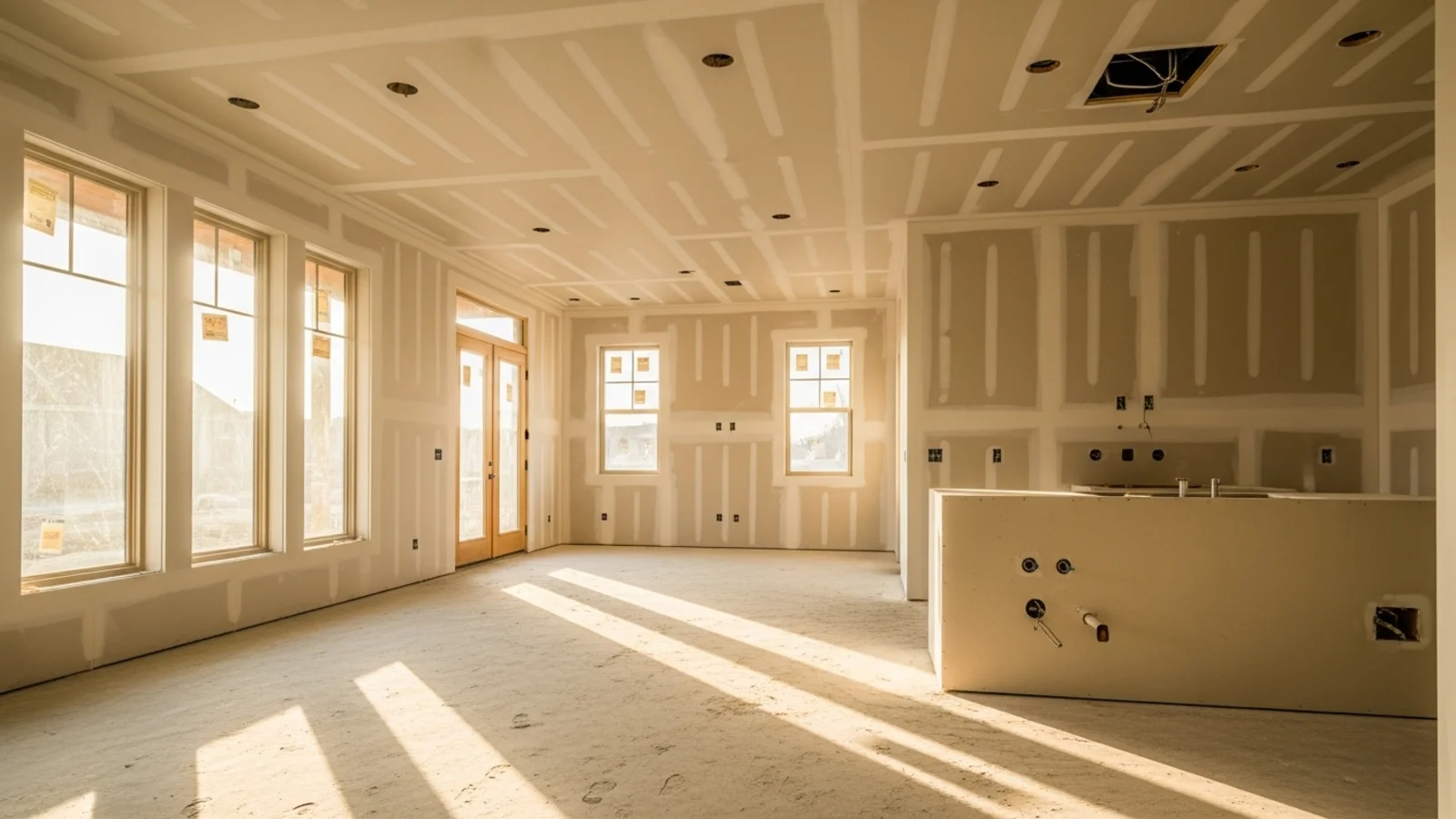
Why Interior Renovation Previews Matter?
Renovations are expensive, slow, and full of uncertainty. Most people aren't unsure what they want - they're unsure how it will actually look in their room.
How It Works
From upload to download - naturally intuitive, powerfully smart.
Upload Your Room Photo/s
- Works for kitchens, bedrooms, living rooms, bathrooms, home offices, or multipurpose spaces.
AI Reads the Room
- It detects surfaces, lighting, proportions, existing materials, flow, and functional zones.
Describe the Renovation You Want
- Use natural instructions like: "Make this kitchen modern with warm wood cabinets." "Try a brighter Scandinavian look." "Change the flooring to light oak." "Make the bedroom feel more minimal."
Refine with Follow-Up Prompts
- "Try darker cabinets." "Make the walls warm off-white." "Lighten the floors but keep the pattern." "Swap the pendant lights only."
See the Renovation Direction Clearly
- Floors, walls, cabinetry, color palette, textures, lighting tone, and style expression adapt to your vision, without changing room structure.
Download When It Feels Right
- Use for contractor discussions, budgeting, decision-making, real estate listings, or design presentations.
Prompt Guide
Get the best results with clear, specific prompts.
Do This
Recommended
Use clear action keywords such as "renovate" or "transform."
Specify exactly what type of room renovation is required.
Optionally mention architectural placements or features that should be included (e.g., bathtub on right side, built-in shelves, arch doorway).
Mention any specific style, materials, or design elements you want.
If needed, specify items or structures that must remain untouched.
Avoid This
Common mistakes
Do not request changes to lighting direction or camera angle.
Specificity leads to better results
"Renovate the room into a coastal bathroom with a bathtub."
"Transform the room into a fully constructed living room with red walls, walnut flooring, and Scandinavian furniture."
See the Transformations
Real results from our Interior Home Renovation solution
Benefits Tailored to Every User
Gives each user the clarity they need to understand the space and make confident decisions.
Homeowners
Key advantages for your workflow
Preview renovation decisions before committing
Explore materials, colors, and styles instantly
Avoid costly mistakes and regret purchases
How the AI Understands Your Space
A clear, grounded explanation of how the system creates realistic results.
Our AI design companion analyzes
Wall, floor & cabinetry surfaces
Lighting direction, warmth & shadow behavior
Material texture & reflectivity
Spatial proportions & depth cues
Color harmony & style signals
It applies renovation-style changes without altering the architecture or adding impossible modifications. The room stays real, the finishes, tone, and look evolve.
Preview your renovation with confidence before spending a dollar.
Frequently Asked Questions
Surfaces, colors, style, materials, lighting tone, and decor direction - without altering architecture.
Yes, colors, finishes, and material styles can be updated visually.
Yes, lighting, shadows, and reflections adapt to keep materials realistic.
Yes, it helps you communicate direction clearly before final decisions.
Yes, you can preview wood tones, tile patterns, stone textures, and more.
No, major structural changes stay intact. AI focuses on visual renovation, not reconstruction.
Absolutely - from modern to traditional to Japandi to luxury minimal.
Yes, you can preview consistent renovation direction across several spaces.
Related Tools
Explore more AI-powered design solutions
Ready to visualize your perfect layout?
Upload your room photo and explore renovation possibilities. See the transformation before the construction begins.
Reimagine My Home