AI Image Straightening for Rooms & Exteriors
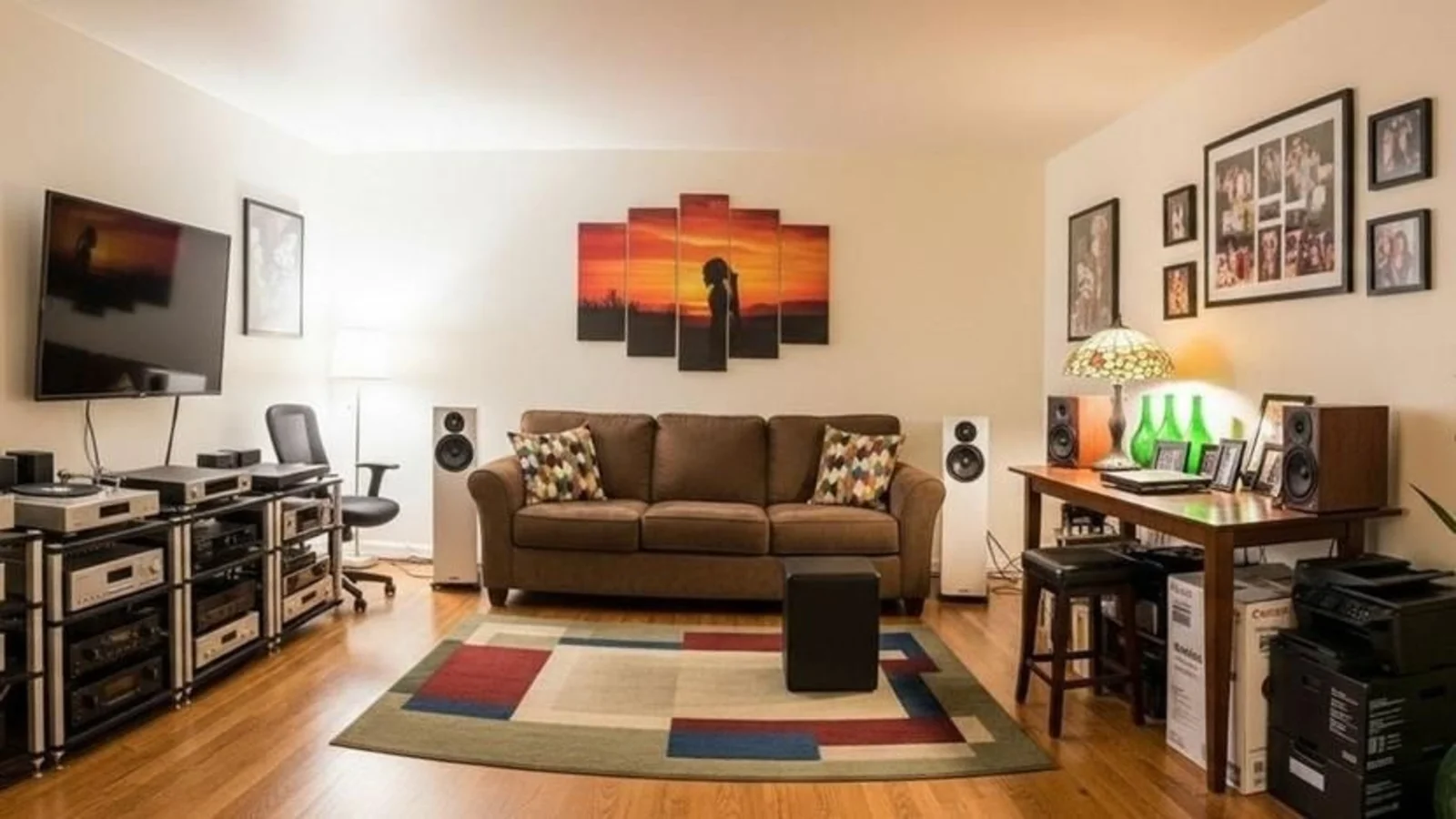
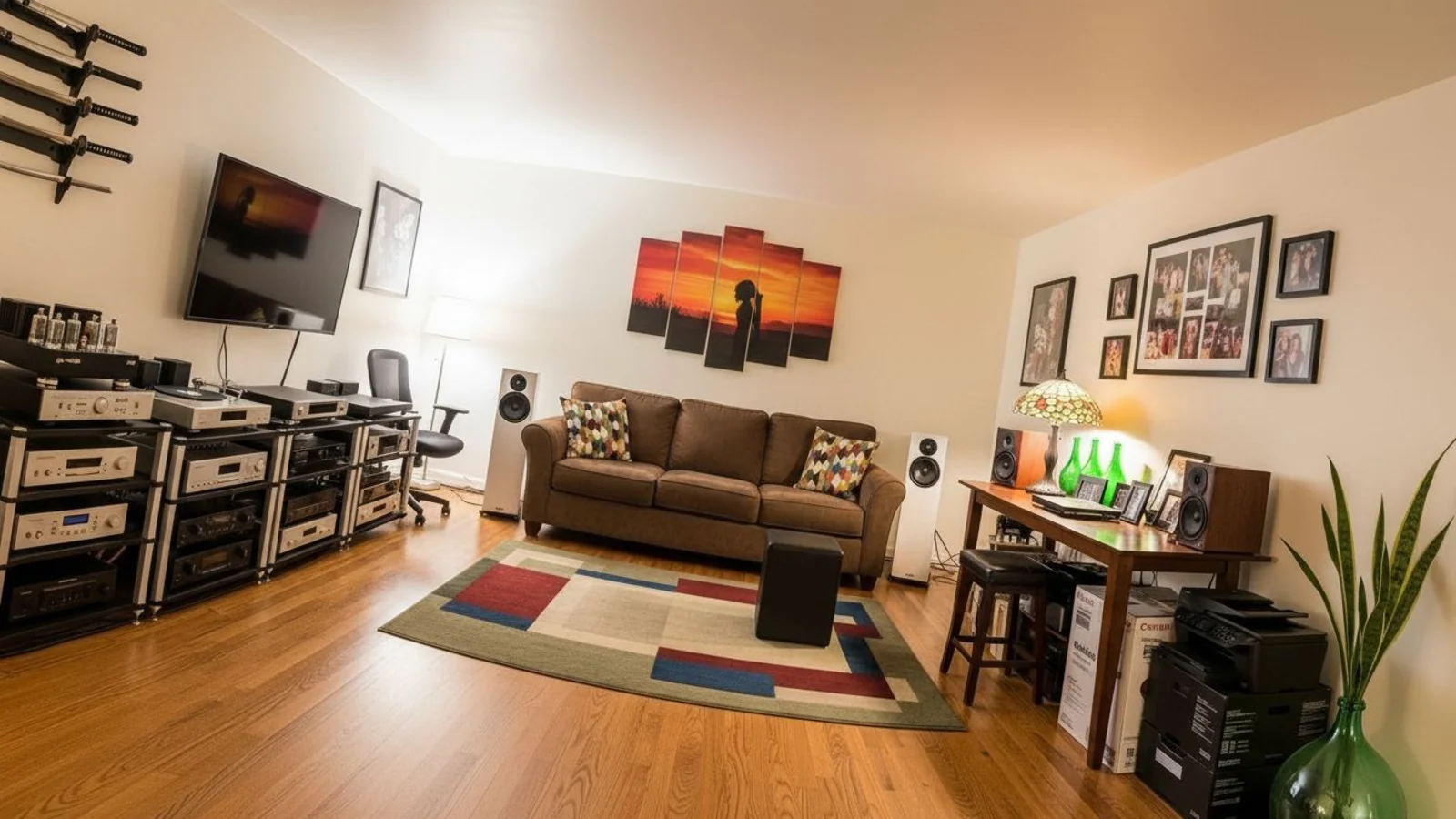
Why Straightening Images Matters?
Great spaces can look wrong simply because the photo isn't aligned. Tilted shots make walls lean, furniture appear off-balance, and rooms feel narrower or wider than they are.
How It Works
From upload to download - naturally intuitive, powerfully smart.
Upload Your Photo/s
- Use room photos, exterior shots, listing images, or renovation documentation
- Any angle, any distortion level
AI Reads the Geometry
- Identifies wall lines, horizons, corners, furniture edges
- Detects perspective cues for accurate correction
Prompt the Fix
- "Straighten the verticals"
- "Fix the tilt"
- "Correct the perspective"
Fine-Tune with Follow-Up Prompts
- "A little less straightening"
- "Keep the natural wide angle"
- "Make the verticals perfectly upright"
See a Clean, Corrected Version
- Walls stand straight, the horizon aligns
- Room feels properly proportioned - without cropping away important areas
Download When It Feels Right
- Use for listings, presentations, design evaluation
- Documentation ready
Prompt Guide
Get the best results with clear, specific prompts.
Do This
Recommended
Clearly state that you want to straighten the image.
Avoid This
Common mistakes
Do not ask to crop, expand, or alter the image boundaries.
Specificity leads to better results
"Do straighten the image."
"Fix the tilted walls."
"Correct the perspective distortion."
See the Transformations
Real results from our Image Straightening solution.
Benefits Tailored to Every User
Gives each user the clarity they need to understand the space and make confident decisions.
Homeowners
Key advantages for your workflow
Clean, natural photos without distortion
Accurate representation for planning decor or layouts
Professional-looking images instantly
How the AI Understands Your Space
A clear, grounded explanation of how the system creates realistic results.
Our AI design companion analyzes
Vertical and horizontal grid alignment
Camera tilt & lens distortion
Room geometry & perspective lines
Edges, corners, and structural cues
It realigns the photo while preserving real proportions and layout. No wide-angle stretching. No artificial distortion. Just clean, accurate & straightened.
Perfectly aligned photos that look professional and trustworthy.
Frequently Asked Questions
It fixes tilted photos by correcting vertical and horizontal lines without distorting the room.
Yes, it can correct lens-induced tilts and leaning edges.
Yes, especially useful for leaning building lines or crooked horizons.
Yes, upload several to maintain uniform perspective across a set.
Only minimally, if needed. The AI preserves as much of the frame as possible.
No, structure stays the same. Rare shifts can be fixed by regenerating.
Yes, prompt for subtle, moderate, or full straightening.
Absolutely - aligned, upright images improve buyer trust and clarity.
Related Tools
Explore more AI-powered design solutions
Ready to visualize your perfect layout?
Upload your tilted photo and get perfectly aligned results instantly. Professional-looking images without the hassle.
Reimagine My Home