Turn Raw Listing Photos Into a Listing-Ready Gallery With REimagineHome
TL;DR
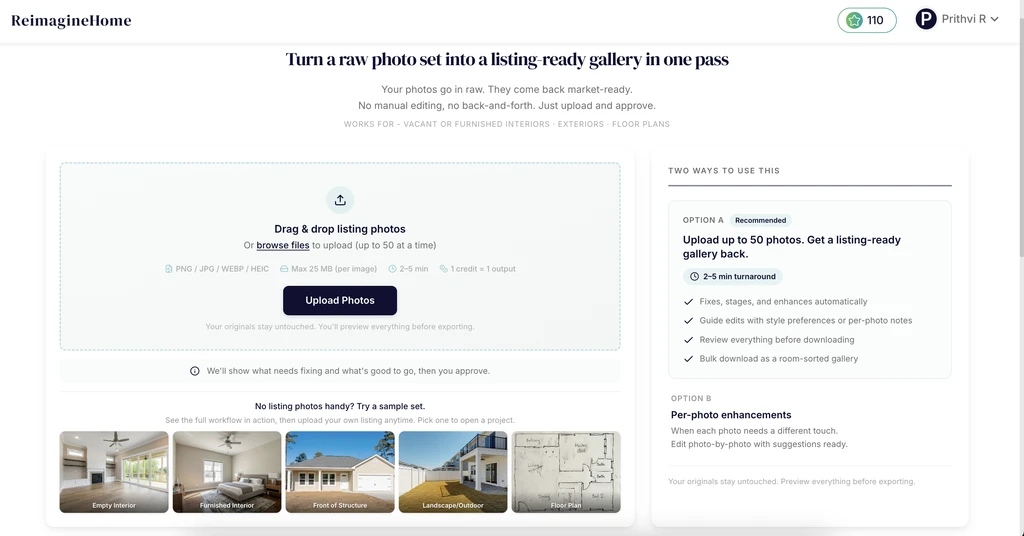
The Smart Media Module enables real estate agents to batch process up to 50 listing photos at once, automatically identifies needed fixes or enhancements, and delivers a fully reviewed, MLS-ready gallery. By bringing batch editing, compliance insights, and style consistency into one tool, it streamlines listing prep while meeting marketing and legal standards.
Friction-Free Listing Photo Prep Arrives for Agents
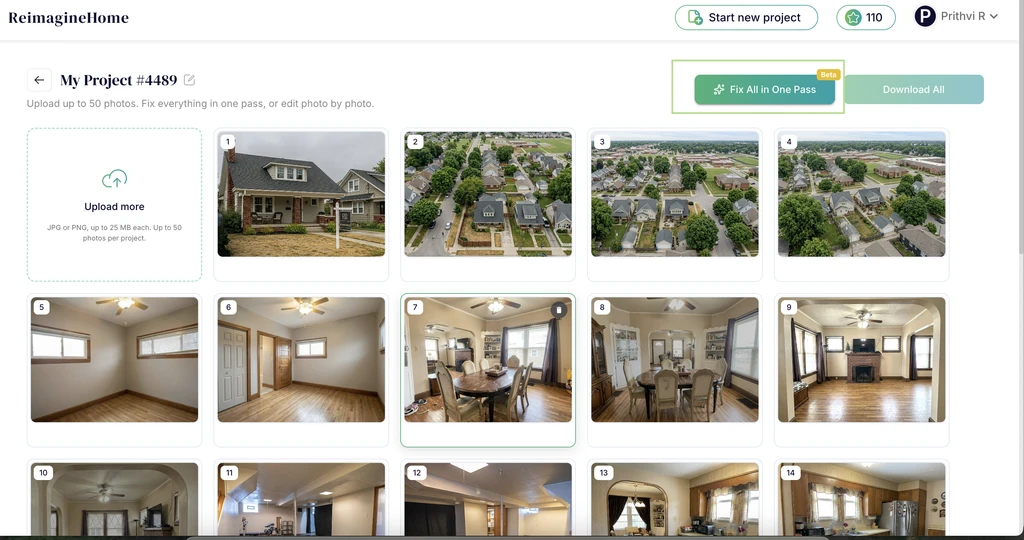
Smart Media Module project view showing how agents can upload a full photo set and start batch processing in one pass.
Raw listing photos have historically meant tedious, photo-by-photo editing and guesswork in identifying what needs adjusting, enhancing, or staging. Agents find themselves toggling between multiple apps, leaving much up to memory or best guesses on compliance. The Smart Media Module (SMM) was designed to turn that fragmented process into a single, review-first workflow ensuring you move from raw trays of images to a polished, MLS-ready gallery with fewer steps and more confidence. Batch processing of real estate listing photos isn’t just about speed. It’s about producing a gallery that’s uniform, trustworthy, and up to marketing and compliance standards core to winning buyer interest and agent trust alike.
-
Solving the Batch Listing Photo Challenge
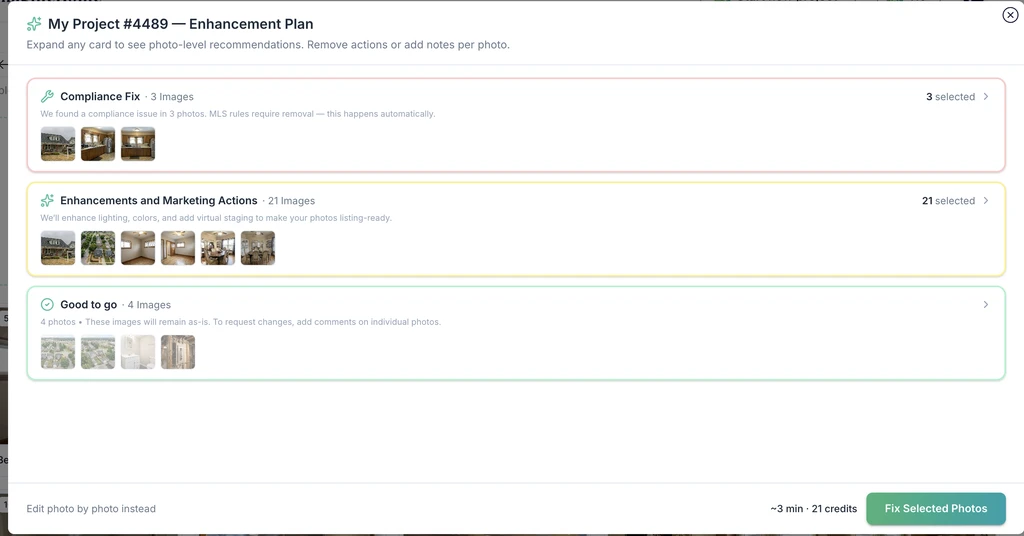
Smart Media Module enhancement plan organizing listing photos into clear action buckets for faster review and processing.
Preparing a listing-ready gallery involves corralling images that are not created equal. Some photos depict vacant interiors that lend themselves to virtual staging, while others showcase lived-in rooms or tricky exterior angles. A brokerage’s best listing galleries synchronize lighting, furniture style, and color palette across dozens of photos, but real workflows are messier often a mishmash of camera phone shots, agent-uploaded floor plans, or images from different days and lighting setups.
Many agents still prepare galleries piecemeal, which leads to inconsistencies, compliance risks, and longer team review cycles. Without batch tools, achieving tips for consistent listing photo quality is a manual, error-prone slog, and MLS photo compliance grows harder to track for brokers overseeing large teams. In a market where buyers move at scroll speed, the solution had to be both fast and trusted.
Enter SMM: it tackles this bottleneck by allowing bulk upload, automatic analysis for compliance and enhancement opportunities, and precision recommendations for each image—all before agents ever export their final set.
-
How Smart Media Module Works: From Upload to Export
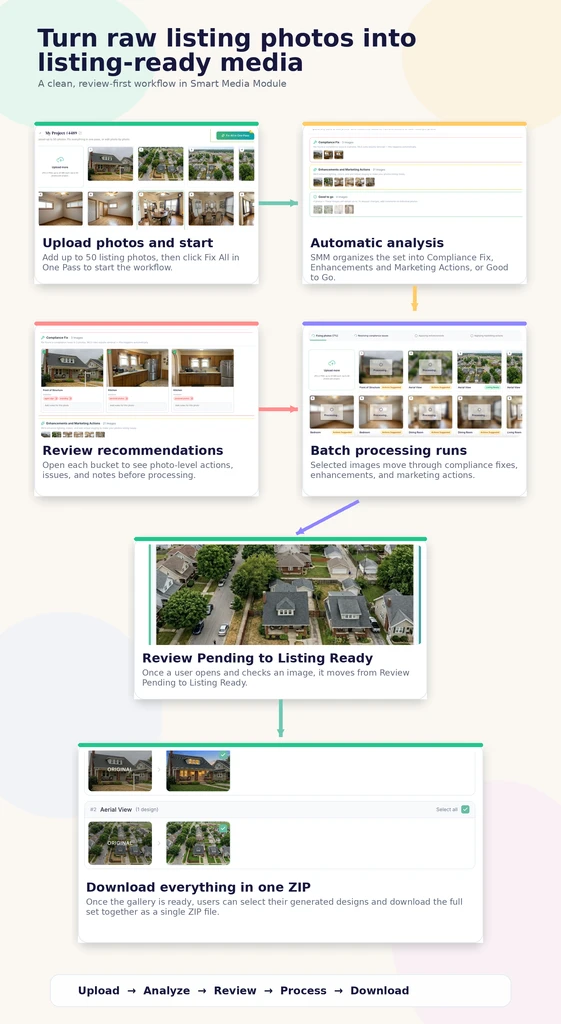
Smart Media Module workflow showing how listing photos move from upload to analysis, review, batch processing, and final ZIP download.
- Upload up to 50 listing photos in one batch.
- Click Fix All Photos to begin the analysis.
- After analysis, SMM automatically groups the images into buckets:
- Compliance Fix — images with compliance issues
- Enhancement Required — images that need visual improvements
- Good to Go — images that need no changes
- Review the grouped recommendations before applying edits.
- Click Fix All Photos again to run batch processing on the selected images.
- The processed images then move into Review Pending.
- Once a user opens and reviews an image, it becomes Listing Ready.
- If the user does not want batch processing, they can choose Edit photo by photo instead and handle each image manually.
- Once the images are ready, the user can download all processed photos at once as a ZIP file.
-
Batch Workflow Meets Real-World Listing Demands
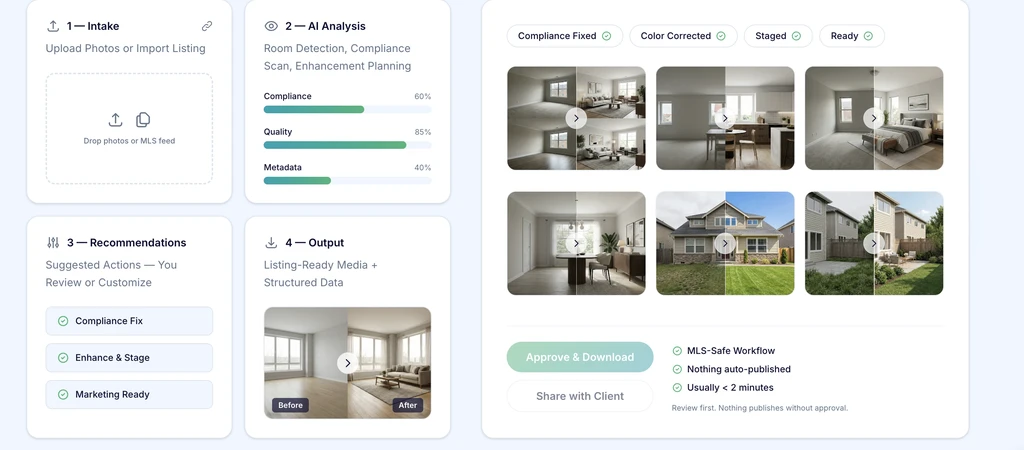
End-to-end MLS-ready image workflow—AI analyzes, suggests fixes, stages, and delivers review-ready before/after results in minutes.
Batch listing photo processing isn’t a one-size-fits-all solution. The Smart Media Module excels in these key scenarios:
- Full gallery preparation: Upload entire listing sets for consistent color, exposure, and style, reducing visual distractions and manual rework.
- MLS compliance oversight: Rapidly identify where photos risk breaching disclosure or editing guidelines, supporting brokers with a practical MLS compliance checklist for agents.
- Flexible review: When a listing needs more nuanced edits, agents can flag individual photos for custom tweaks or style notes—all within the same workflow.
-
Common Mistakes to Avoid Using SMM
- Rushing Review: Accepting all enhancements without careful review can introduce compliance risks or misrepresentations. Always review flagged images individually before export.
- Over-Editing: Excessive use of virtual staging or enhancement tools, as highlighted in our guide to legal and misleading photo edits, can cross ethical lines. Stick to representing the property's true potential.
- Ignoring Style Consistency: Missing the opportunity to apply a consistent visual style across the gallery can undermine your branding and confuse buyers. Take advantage of the batch style preference settings to keep presentations coherent.
-
Tips and Tricks for MLS-Ready Galleries Every Time
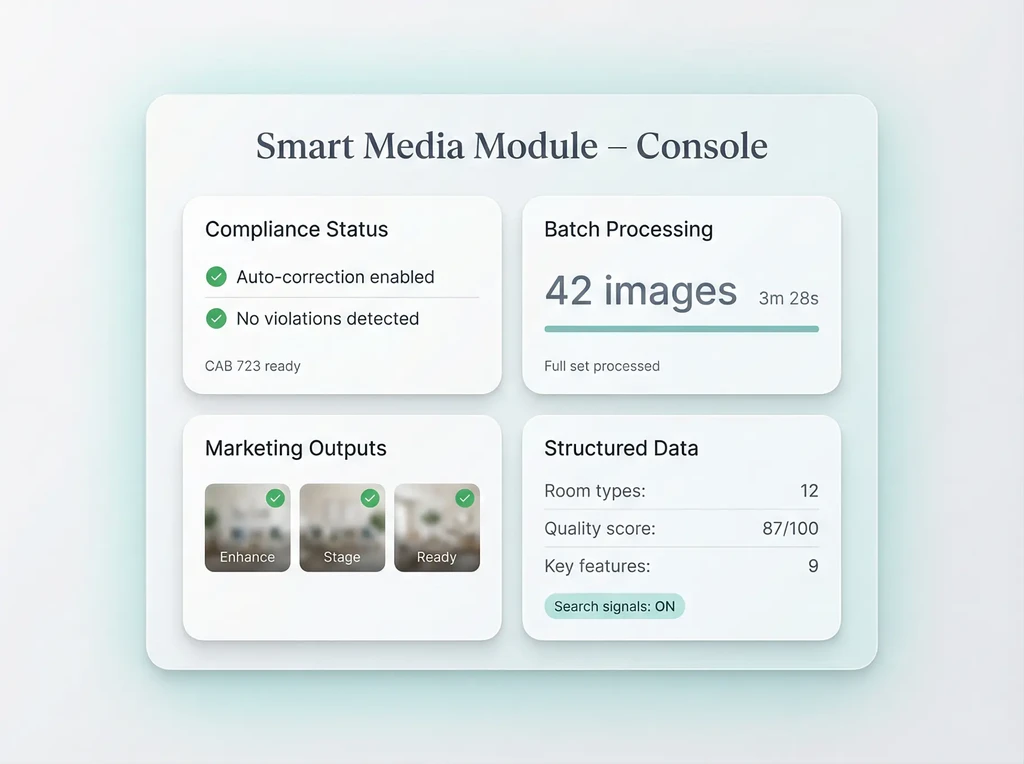
Smart Media Module console highlighting batch processing, compliance checks, marketing outputs, and structured data in one dashboard.
- Start With the MLS Compliance Checklist: Before uploading, reference an internal compliance checklist to avoid last-minute surprises and streamline SMM analysis.
- Use Style Notes for Signature Branding: If your brokerage has a signature look, leverage per-photo notes or global style preferences for visual uniformity throughout your gallery.
- Batch Small Sets When Needed: Even listings with fewer photos can benefit—SMM is not just for 50-image mega-galleries, but any batch where efficiency and consistency matter.
- Apply a 'Brighten, Not Change' Rule: As advised in our photo enhancement guide, prioritize natural edits that accentuate reality over those that alter it.
Frequently Asked Questions About SMM
-
What types of listing media can SMM handle?
SMM is designed for listing photos, including interior, exterior, and floor plan images. Video support may depend on future platform updates. -
Is there a minimum number of photos required to use SMM?
No. Users can process both small and large photo sets depending on their workflow needs. -
Does Smart Media Module offer auto-publication?
No. SMM follows a review-first workflow, which means agents must review and approve outputs before export or MLS upload. -
Are all edits fully MLS compliant?
SMM helps identify likely compliance issues, but final review is still important. Users should always follow their MLS rules and true-view requirements before publishing.
Batch Workflow, Trustworthy Results
Agents no longer need to choose between editing speed and listing photo quality. The Smart Media Module makes it possible to prepare and polish full listing galleries efficiently, with review-first controls that preserve compliance and brand consistency. For brokers managing large teams or solo agents facing quick turnarounds, batch processing real estate listing photos is now a practical reality. Explore REimagineHome AI to see how streamlined photo prep can help make every listing gallery marketing-ready.