How to Design Your Real Dorm Room With Dormtok
TL;DR
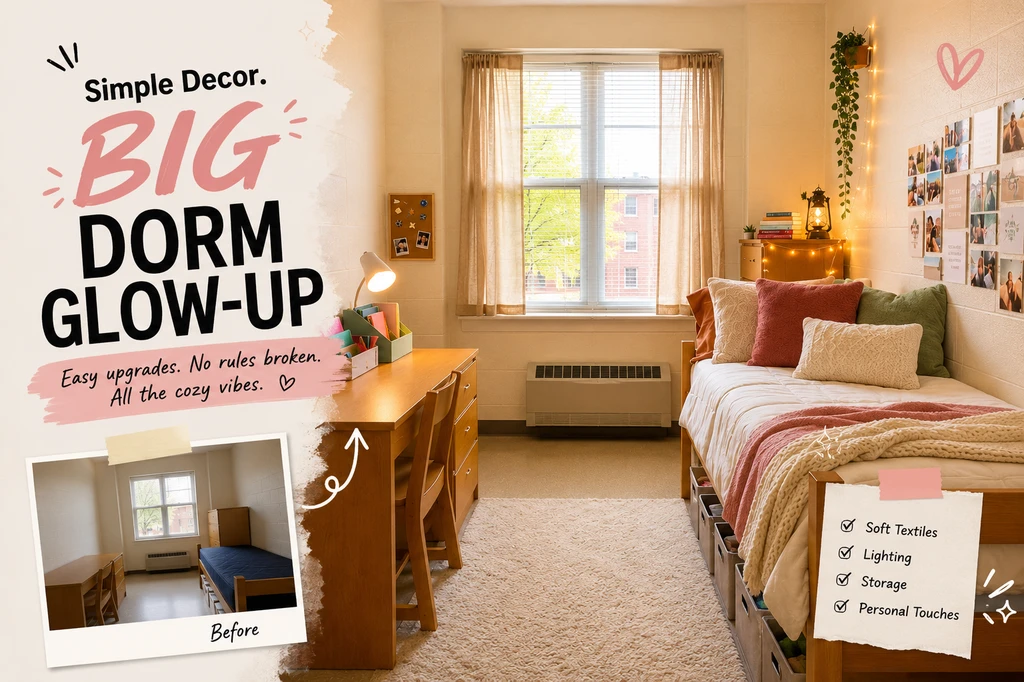
Stuck with school-issued furniture and blank walls? DormTok helps you reimagine your real dorm room, then actually shop the look—no guesswork, no endless tabs, and no major fails. Here’s how to make your room trend in 16 easy steps.
Transforming Your Dorm with DormTok
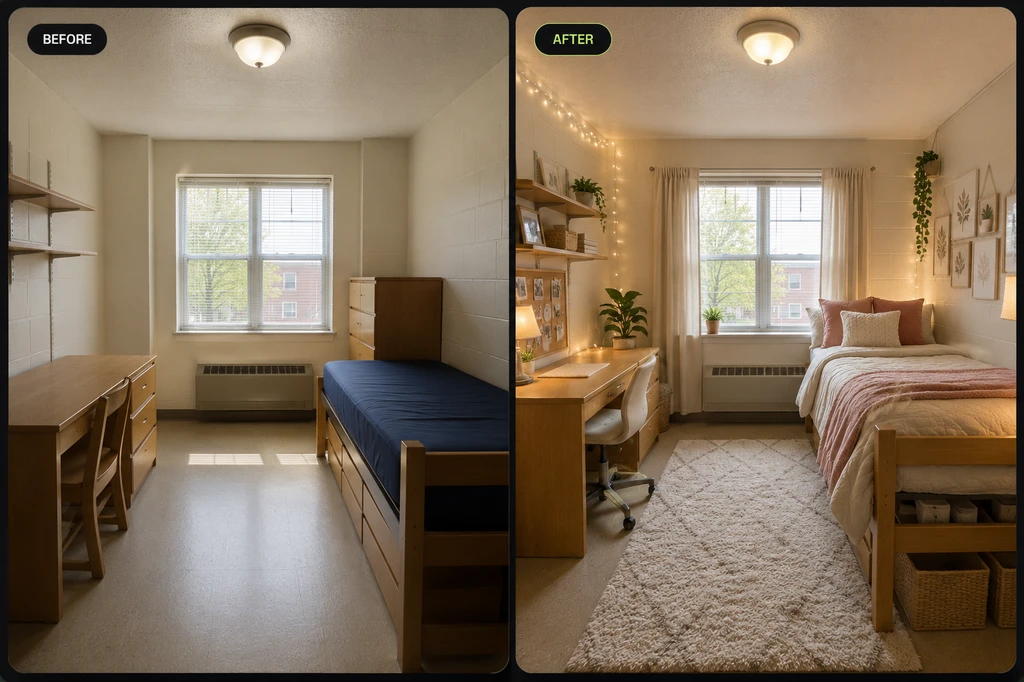
A plain dorm room transformed into a cozy, practical space while keeping the original bed, desk, dresser, and room layout.
The moment you unlock your dorm room after crossing campus with bags (and maybe your parents in tow), it can feel a little...well, uninspiring. There’s the standard-issue twin XL, a desk, and the “classic” off-white walls—chill in theory, but zero personality. But that doesn’t mean you have to live in drab-ville. The DormTok trend is turning real, unfiltered dorm rooms into social-media-worthy before-and-afters with way less stress, thanks to Dormtok. If you’ve ever saved a dreamy #dormtokroom reveal and thought, “Yeah, but how do I *actually* pull that off in here?”—this is for you.
-
Why DormTok Is a Game Changer for College Rooms
Trying to style a dorm room is a whole different ballgame than styling your childhood bedroom. You’re working with strict housing rules and furniture that’s basically glued in place. Parents want safe, budget-friendly picks that last past move-in week, and students don’t want their side of the room to scream "generic." That’s why DormTok stands out, it’s designed to work around the exact room you have, not some Pinterest fantasy. By uploading a real photo (messy floors and all), you see how your dream style plays out before you invest. If you’re not sure where to start, the demo room feature lets you test out vibes until you find your mood, kind of like trying on a new fit in a virtual dressing room. If you need even more inspo, check out our guide on making your dorm a cozy retreat.
-
How the Design Magic Actually Works
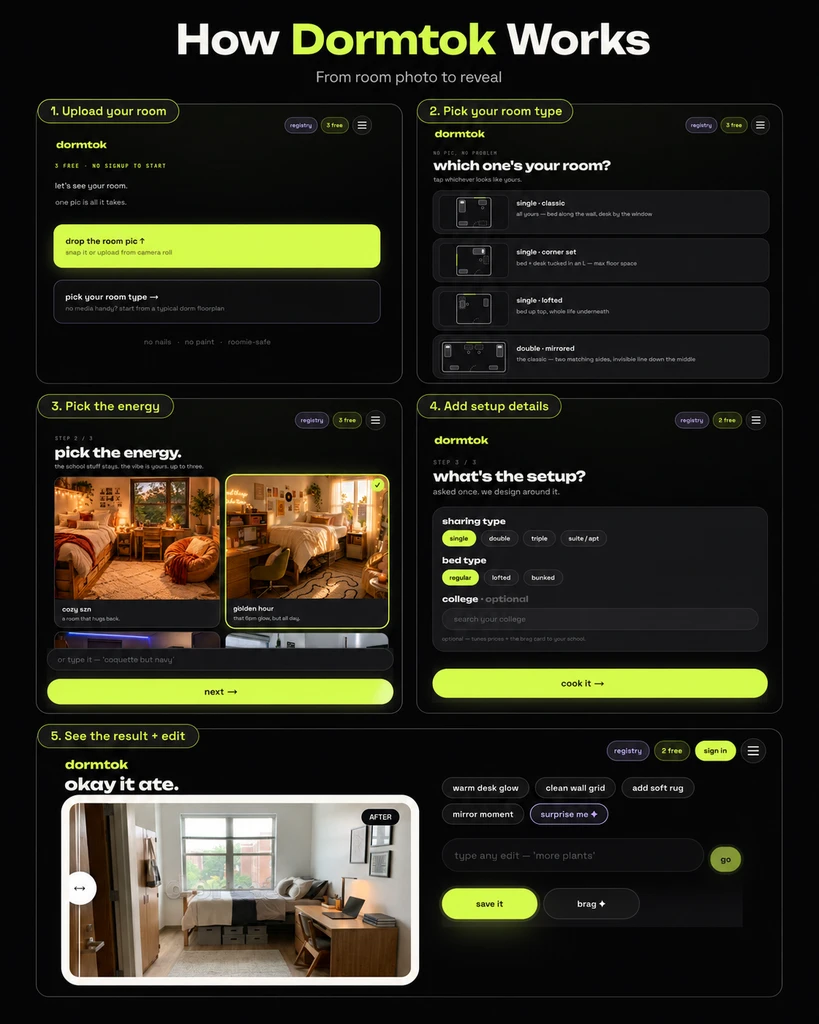
How Dormtok works: upload your room, choose the setup and vibe, generate the design, then compare, edit, save, or turn it into a Brag Reel.
Using DormTok is less like doing a big project and more like swiping through a filter on your latest selfie. Here’s the vibe:
- Upload a dorm photo: Snap the space as-is. No need for a fancy camera.
- Pick your energy: Want Golden Hour lighting, cozy neutrals, or Main Character maximalism? Or maybe a soft, study-friendly setup?
- Add details: Note if you have roommates, write in any "nos," and share what matters (like storage or a pop of your favorite color).
- Tap to style: AI does its thing, remixing bedding, accessories, wall art and more, but never suggesting anything against dorm policies.
-
Turning Designs Into a Shoppable Dorm Haul
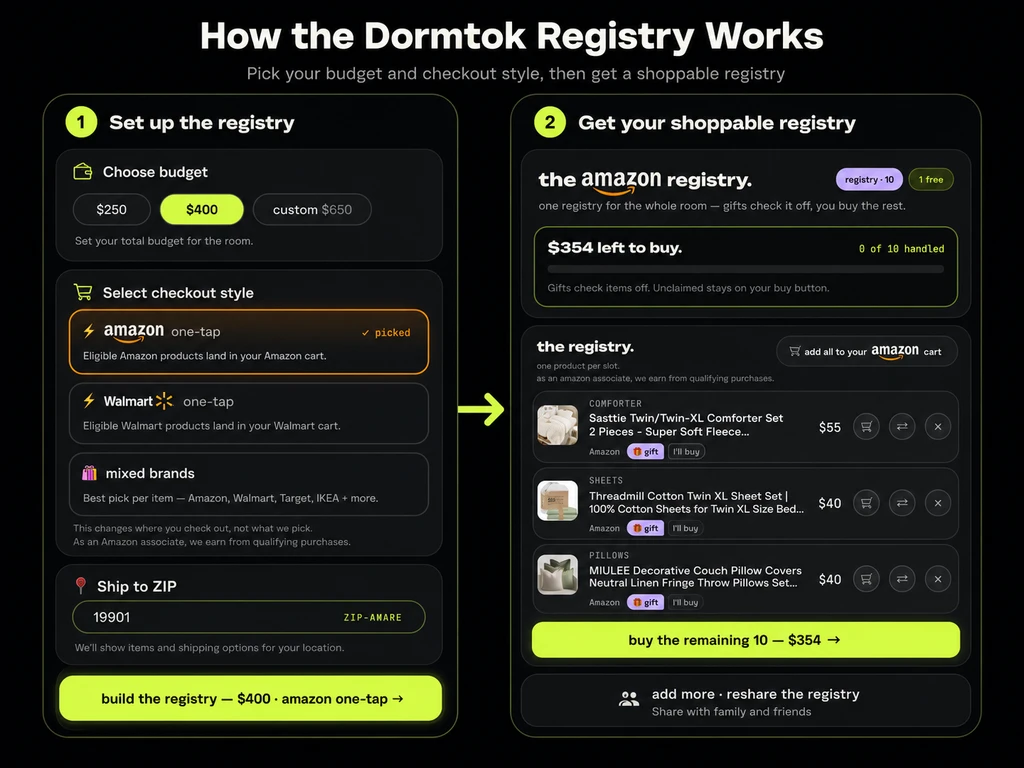
How the DormTok registry works: design your dorm, price the registry, add items to cart, and share one shoppable link with family or roommates.
Once you land on a mood that fits, DormTok can turn the design into a registry of real products based on your budget and ZIP code.
- Price it: Choose a budget and shop through Amazon, Walmart, or mixed brands.
- Pick items: Mark what you’ll buy and leave the rest open for gifts.
- Share it: Send one link to family or roommates. Claimed items update on the registry, helping avoid duplicate purchases.
It makes move-in shopping easier, more organized, and based on the room you actually have.
You can claim must-have items (like bedding and storage bins) as essentials, and split up shared pieces with your roommate. Plus, because every design is based on your *actual* room, you won’t end up with stuff that doesn’t fit or look right. DormTok makes move-in shopping a collaborative, one-link process—no duplicate gifts, random Amazon boxes, or store runs for missed basics. -
Reality Check: The Realities of Dorm Design
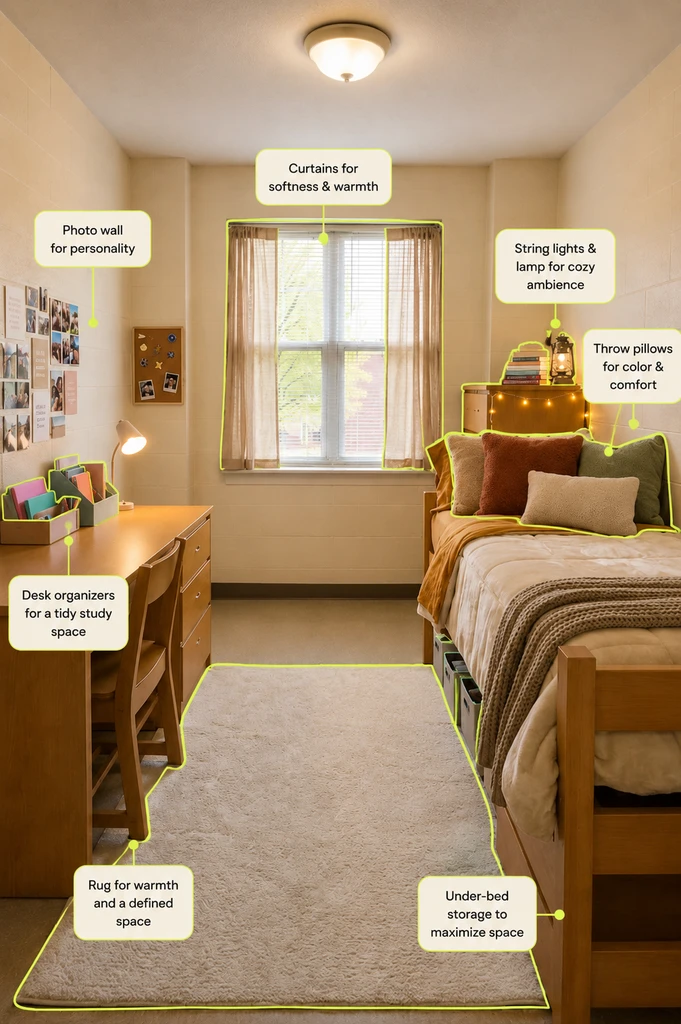
Simple, dorm-safe decor ideas that add warmth, personality, storage, and comfort without changing the room’s fixed furniture or layout.
Here’s the truth: even the smartest dorm hack can’t defeat college policy. Beds, desks, and dressers are built to stay. Painting, drilling, or major furniture swaps totally depend on school rules (always double check your housing guide, especially before buying rugs, lights, or hooks). That’s why DormTok only recommends safe, practical updates—think storage cubes, peel-and-stick decor, cozy lamps, and soft bedding. You can quickly switch your style up for a future semester (or apartment), but know that every product you see in your registry is meant to pass the RA test and survive a year of student life.
-
Making It Yours—And Making It Work With Roommates
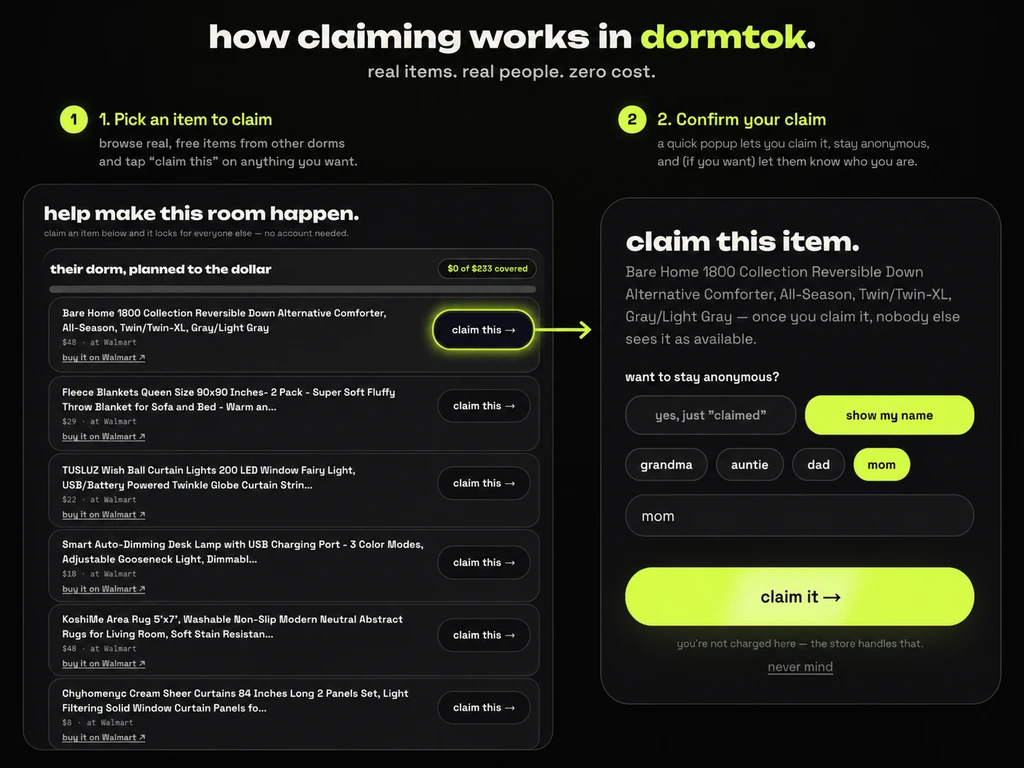
How claiming works in Dormtok: choose an item, confirm the claim, and the registry updates so everyone can see what is already covered.
Sharing a room? DormTok helps you design only your side, both sides together, or the whole space—so it works no matter your situation. You can easily share designs and registries, which means you and your roommate can coordinate color palettes, split the cost of shared stuff, and skip awkward surprises on move-in day. (Sibling-approved tip: design together before shopping to avoid double-buying a mini fridge or fighting over wall space!)
DormTok for Dorm Design: FAQs
Yes! Try the demo room to see styles before move-in.
How many free credits do I get?You get three—no signup for the first, then a quick sign-up for two more.
Can I shop only from Amazon or Walmart?Yup. DormTok lets you choose from Amazon-only, Walmart-only, or a mix of brands.
Is it possible to just design my side of a shared room?Definitely—DormTok lets you style a single side, both, or the whole room.
Where are my designs stored?All your creations live in the My Designs page for easy access!
Design First, Shop Smarter: The DormTok Way
College move-in isn’t about creating a magazine-perfect room; it’s about finding the sweet spot between what you want, what your school allows, and what you actually need. DormTok makes real dorm shopping and styling less of a mess—use the free credits to experiment, tweak, and imagine your best space before anyone spends a dime. You can transform your blank-walled dorm into a space that feels like you, and then turn those dreams into a shoppable reality (with zero parent panic). If you’re ready to try room reveals, shopping hauls, or showing your friends what’s possible, let DormTok help turn online inspiration into an actual dorm plan.